How to Onboard With a 3PL Provider: A Practical Step-by-Step Guide
A smooth launch with a 3PL provider starts well before your inventory reaches the warehouse. Learning how to onboard with a 3pl provider means preparing more than products. Your item details, order data, system connections, and internal workflows all need to line up before the first shipment goes out.
A new integration or process can affect order handling, especially when several teams need to coordinate. A clear onboarding sequence helps reduce uncertainty by defining what to prepare, who owns each task, and how to catch gaps before launch.
This guide covers practical steps, from organizing product and inventory data to mapping workflows, connecting systems, and testing order flow. You’ll also learn how to coordinate responsibilities with your 3PL partner and monitor orders, inventory, and issues after go-live. With careful preparation and shared visibility, your team can begin fulfillment with accurate information and a clearer plan.
Key Takeaways
- Prepare consistent product records, verified inventory counts, order details, and handling rules to reduce confusion during receiving and fulfillment.
- Use a clear onboarding sequence to coordinate responsibilities, align workflows, and prepare for launch before inventory or live orders move.
- Map how orders, status updates, inventory changes, and reports will be exchanged so each team understands its role.
- Learn how to onboard with a 3pl provider by validating inventory records and order workflows together before routine fulfillment begins.
- Use visibility tools such as Remote Control to track order progress, review inventory, receive notifications, and monitor fulfillment activity.
What 3PL onboarding involves, and how it protects the fulfillment transition
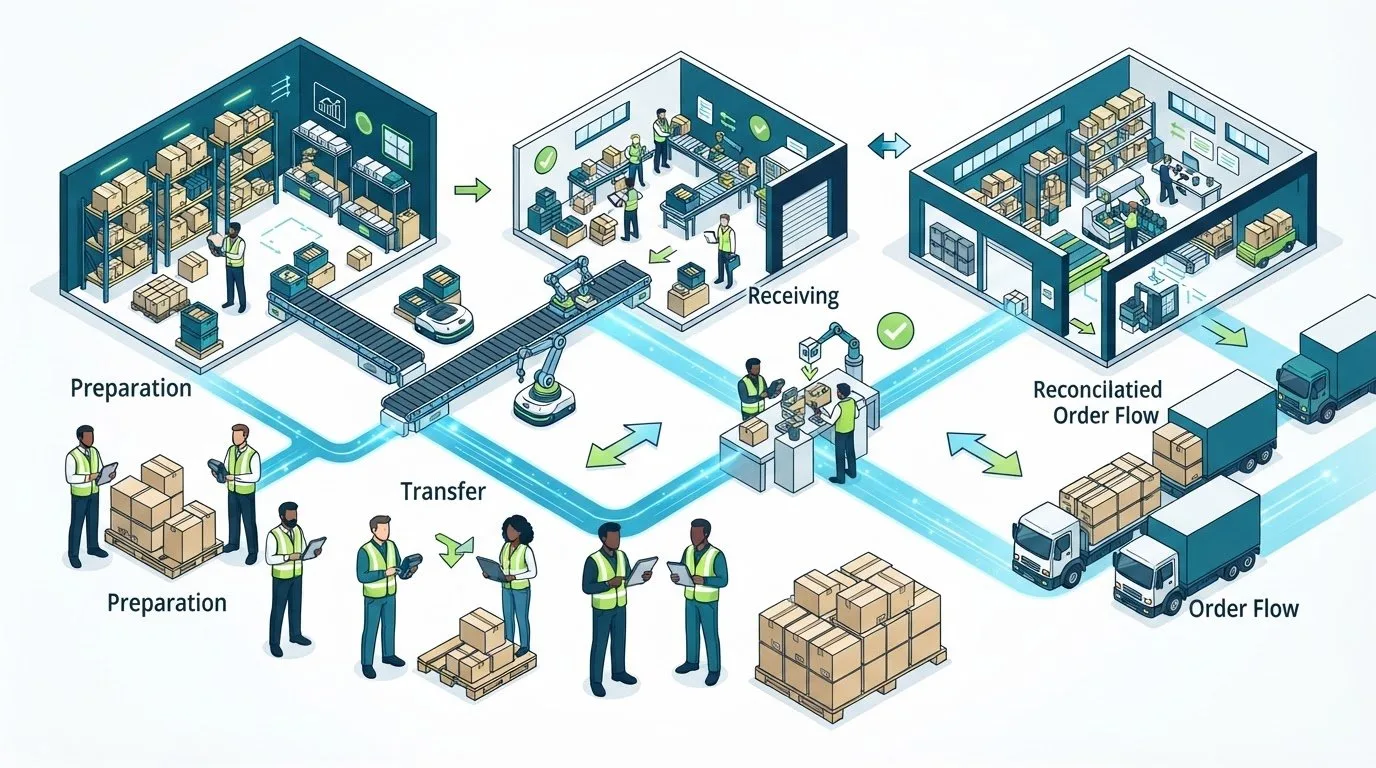
Moving fulfillment into a new operation involves more than sending inventory to a warehouse. Products, order rules, systems, responsibilities, and launch expectations all need to work together. Understanding how to onboard with a 3pl provider starts with treating the change as a planned transition, not a switch that happens when the first shipment arrives.
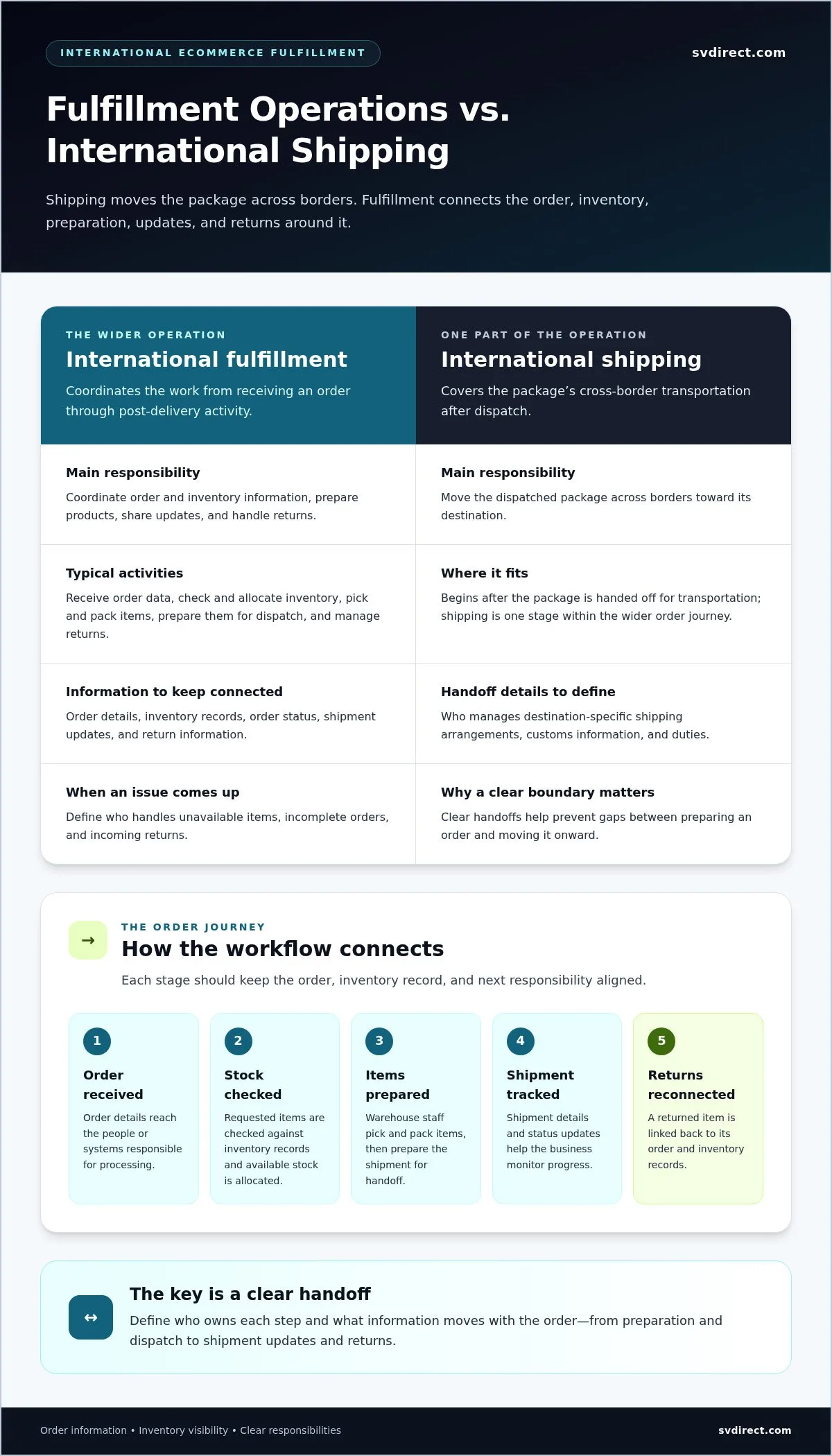
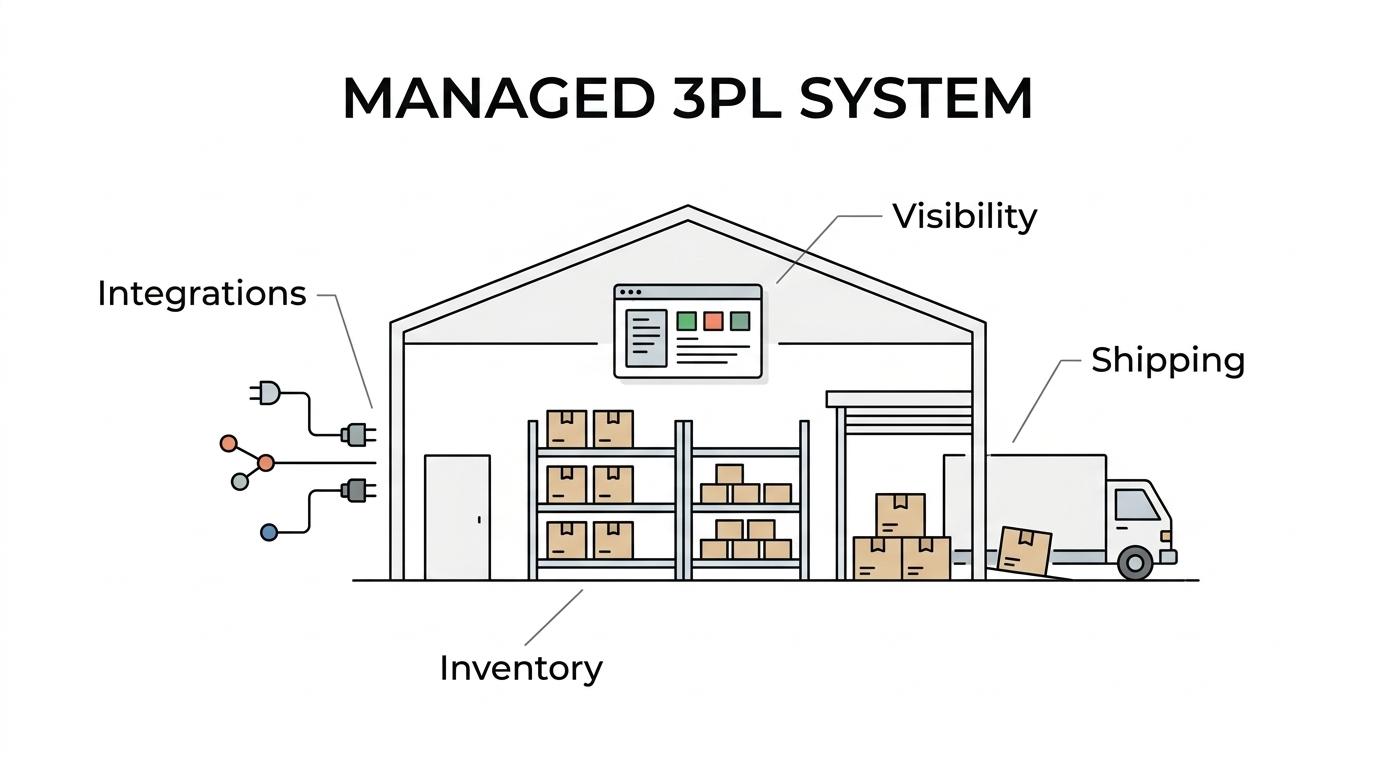
3PL onboarding is the structured process of aligning products, workflows, systems, responsibilities, and launch expectations before routine fulfillment begins. Routine fulfillment processes orders; onboarding establishes how those orders should be received, handled, tracked, and resolved when something differs from plan.
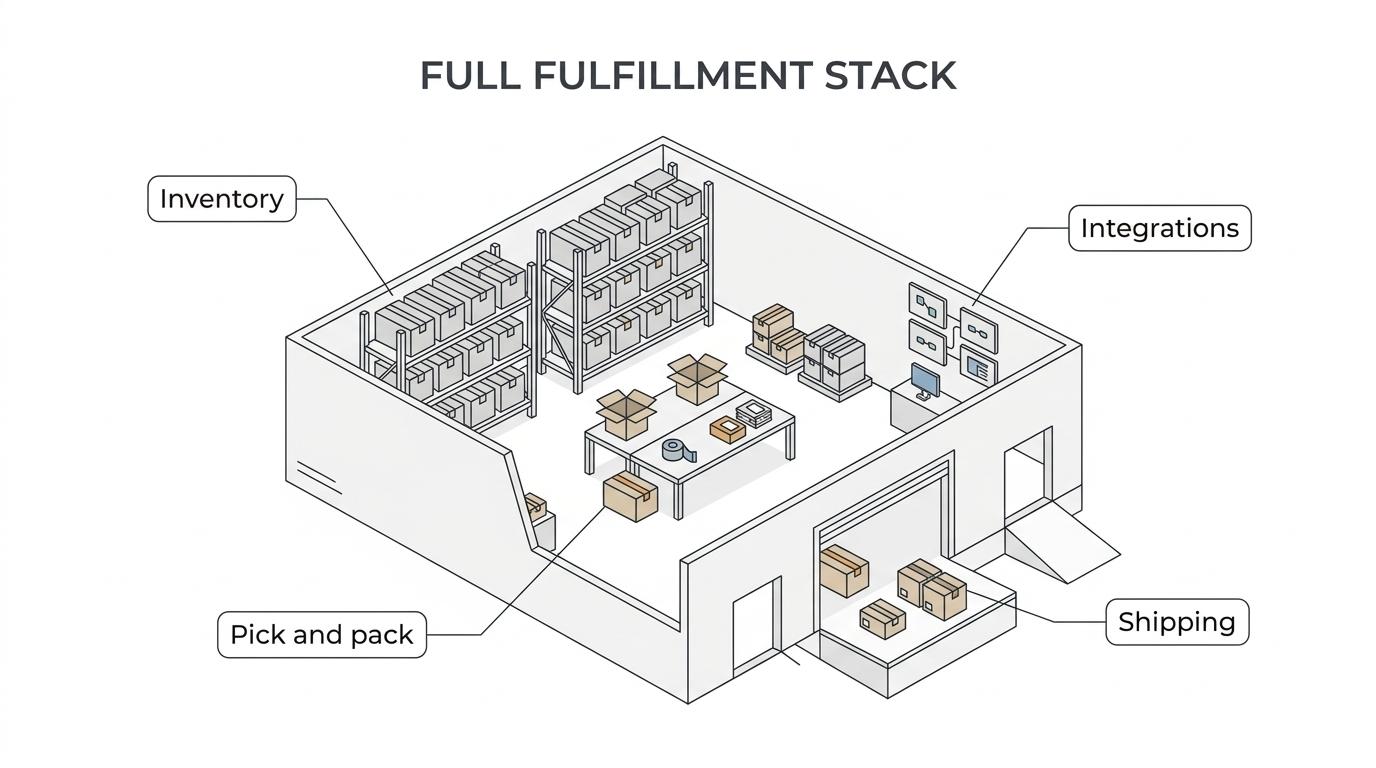
The third-party logistics (3PL) model can include fulfillment, warehousing, and distribution. The services in an arrangement depend on the business’s needs. Silicon Valley Direct provides eCommerce fulfillment services, warehousing, inventory management, and shipping as part of an operating plan shaped around each client’s products and workflows.
Start onboarding before inventory or live orders enter the new process. That gives both teams time to document decisions, review information, and clarify handoffs. Written instructions reduce guesswork around order handling, exceptions, and who communicates an update when a record or shipment needs attention.
Which teams and decisions belong in the onboarding process?
Bring together the people who own the information and decisions that shape fulfillment. Operations can coordinate the transition, while eCommerce and technology teams align order data and system workflows. Customer service can explain customer-facing requirements, and finance can clarify relevant account or reporting processes.
Name one accountable contact to coordinate decisions, approvals, and operational updates. Then record who owns:
- Product descriptions, identifiers, and item-level data.
- Inventory records and decisions about count discrepancies.
- Order rules, such as handling instructions and order changes.
- Exceptions, including who reviews an issue and how it is communicated.
Clear ownership keeps questions from circulating between teams without resolution. It also gives the 3PL a reliable route for clarifying instructions before they affect order processing.
What a successful 3PL transition should make clear
Before launch, both teams should be able to describe how orders enter the workflow, how fulfillment status is shared, where inventory information can be reviewed, and how reporting responsibilities are divided. Agree on how issues are raised and who makes decisions when actual conditions do not match the documented plan.
Measure readiness by reviewing workflows and data together, not by assuming that setup is complete because systems are connected or inventory has arrived. For example, confirm that the agreed order information is available to the people handling it and that both teams understand how to report a mismatch. These shared checks create a more controlled handoff and a clearer basis for launch decisions.
How to prepare product, inventory, and order information for a 3PL
Reliable fulfillment starts with information that describes products accurately and tells the warehouse how to handle each order. Before sharing files or transferring stock, separate confirmed details from assumptions. A product specification or handling instruction should reflect an approved decision, not a guess carried over from an old spreadsheet. This preparation makes it easier to identify gaps while there’s still time to resolve them.
Accurate product data is the foundation for dependable fulfillment because it connects each physical item to the right inventory record and order instruction.
Build a usable product and inventory record
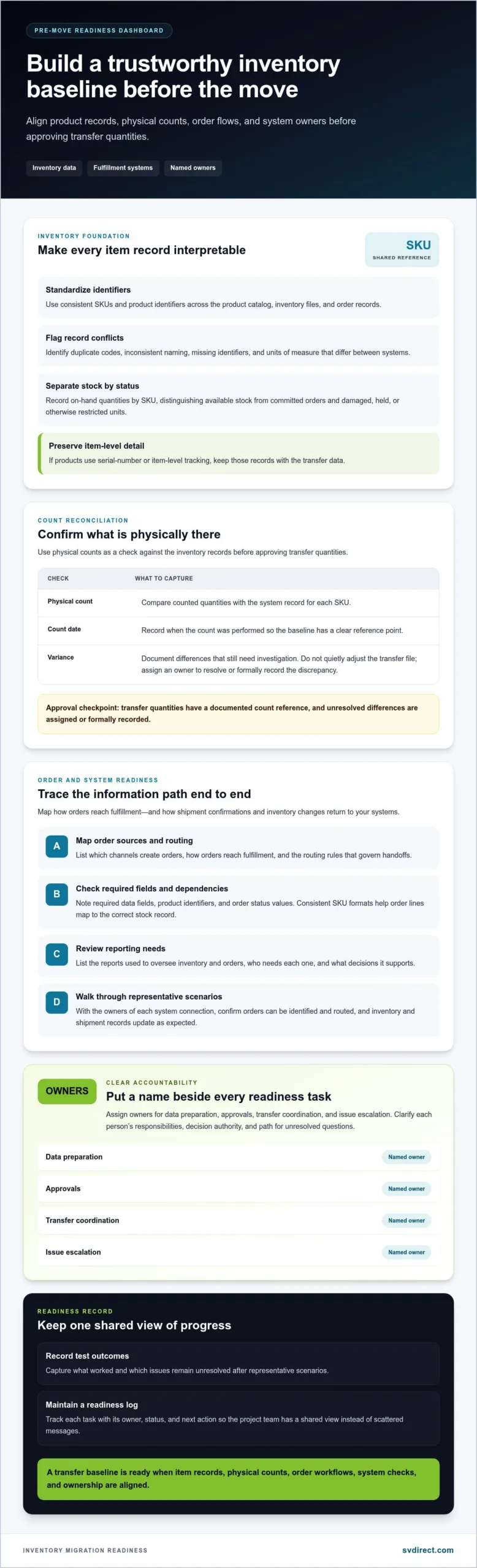
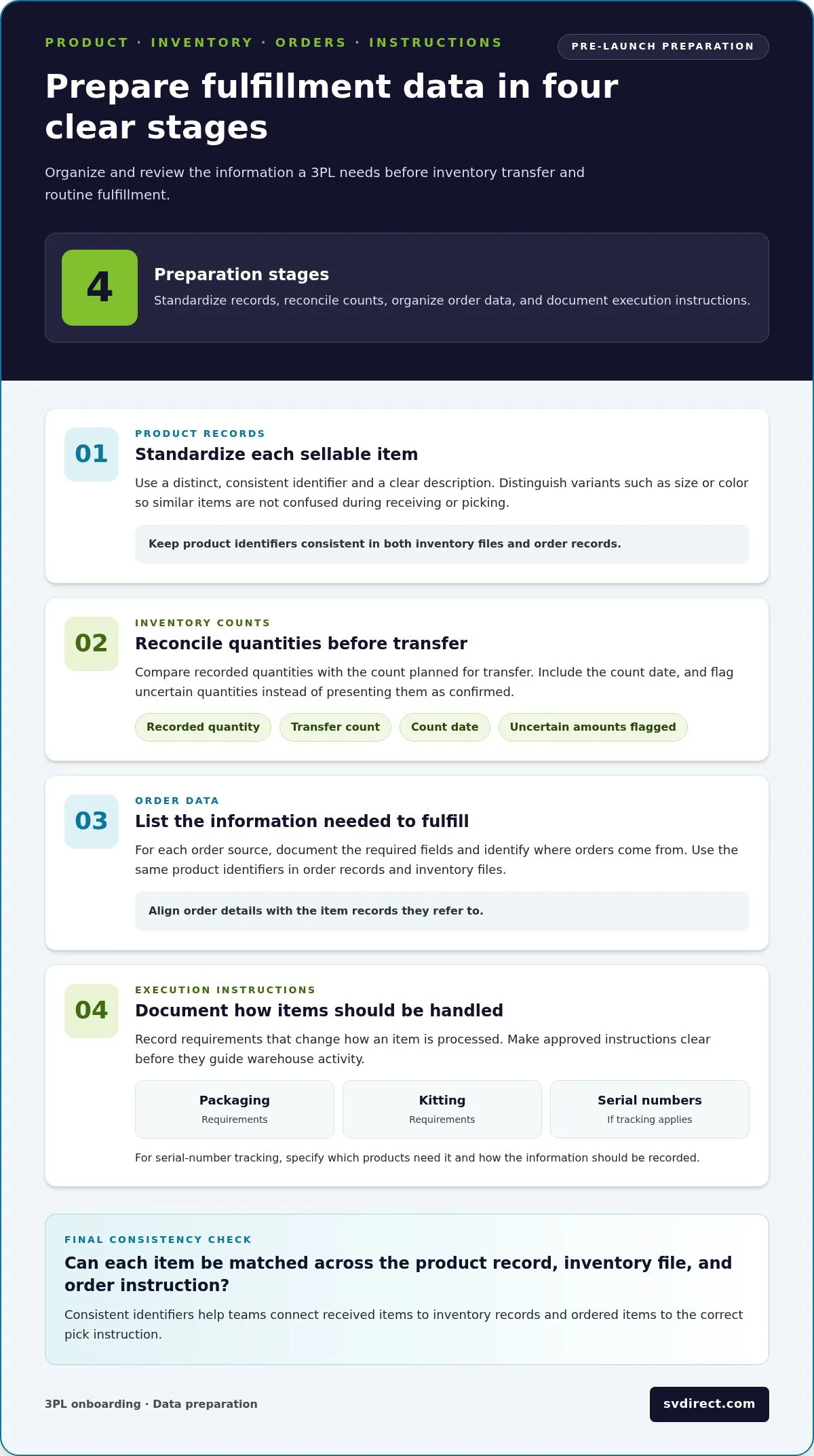
Use one consistent format for product identifiers, descriptions, variants, and quantities. Prepare the information in sequence so records can be reviewed before they guide warehouse activity:
- Standardize product records. Give each sellable item a distinct, consistent identifier. Include a clear description and distinguish variants, such as size or color, so similar items aren’t confused during receiving or picking.
- Reconcile inventory counts. Compare the quantities in your records with the count planned for transfer. Note the count date and flag any quantity that remains uncertain rather than presenting it as confirmed.
- Organize order data. List the order fields needed to identify items and fulfill a shipment, along with the sources orders come from. Use the same product identifiers in order records and inventory files.
- Record execution instructions. Document packaging, kitting, or handling requirements that change how an item is processed. If serial-number tracking applies, state which products need it and how the information should be recorded.
Consistent identifiers let teams match a received item to its record and an ordered item to the correct pick instruction. Accurate quantities help prevent avoidable mismatches between physical stock and system records.
Map orders, exceptions, and service expectations
For each order source, document required fields, priority rules, and any handling instructions. Be specific about what counts as an exception, such as a backorder, an inventory discrepancy, or an urgent order question. Agree who communicates each issue, which details the message should include, and who decides what happens next.
- Mark confirmed rules separately from open questions or assumptions.
- Record decisions and update the working instructions when a rule changes.
- Define how order status and inventory information will be reviewed and shared.
Clear records make collaboration more practical: both teams can refer to the same instruction instead of relying on memory. Silicon Valley Direct’s Remote Control order management provides order progress tracking and real-time inventory visibility, helping teams review operational information as orders move through fulfillment.
Make how to onboard with a 3pl provider a defined process: confirm the data, document decisions, and resolve assumptions before they become warehouse instructions.
How to align 3PL systems, workflows, and reporting before launch
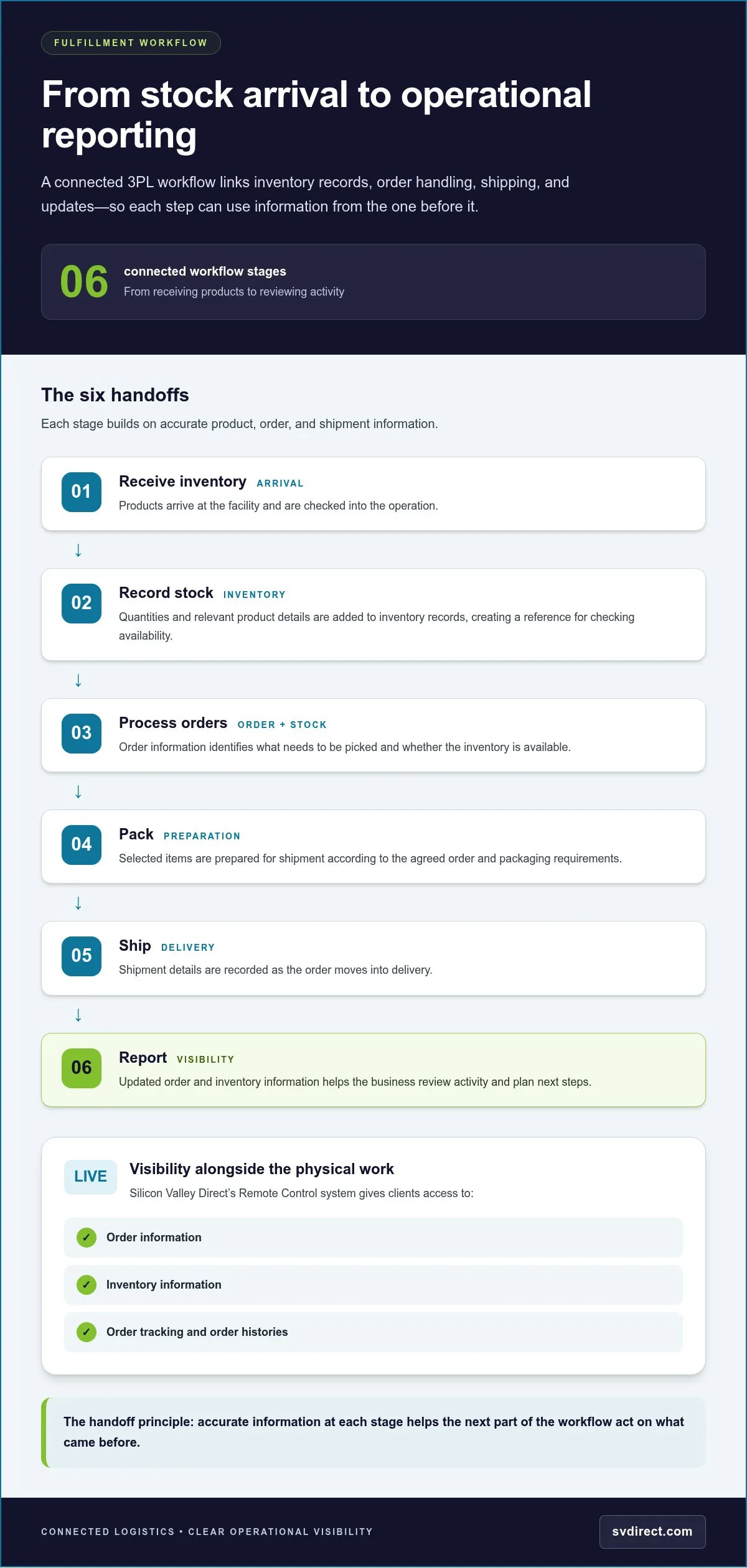
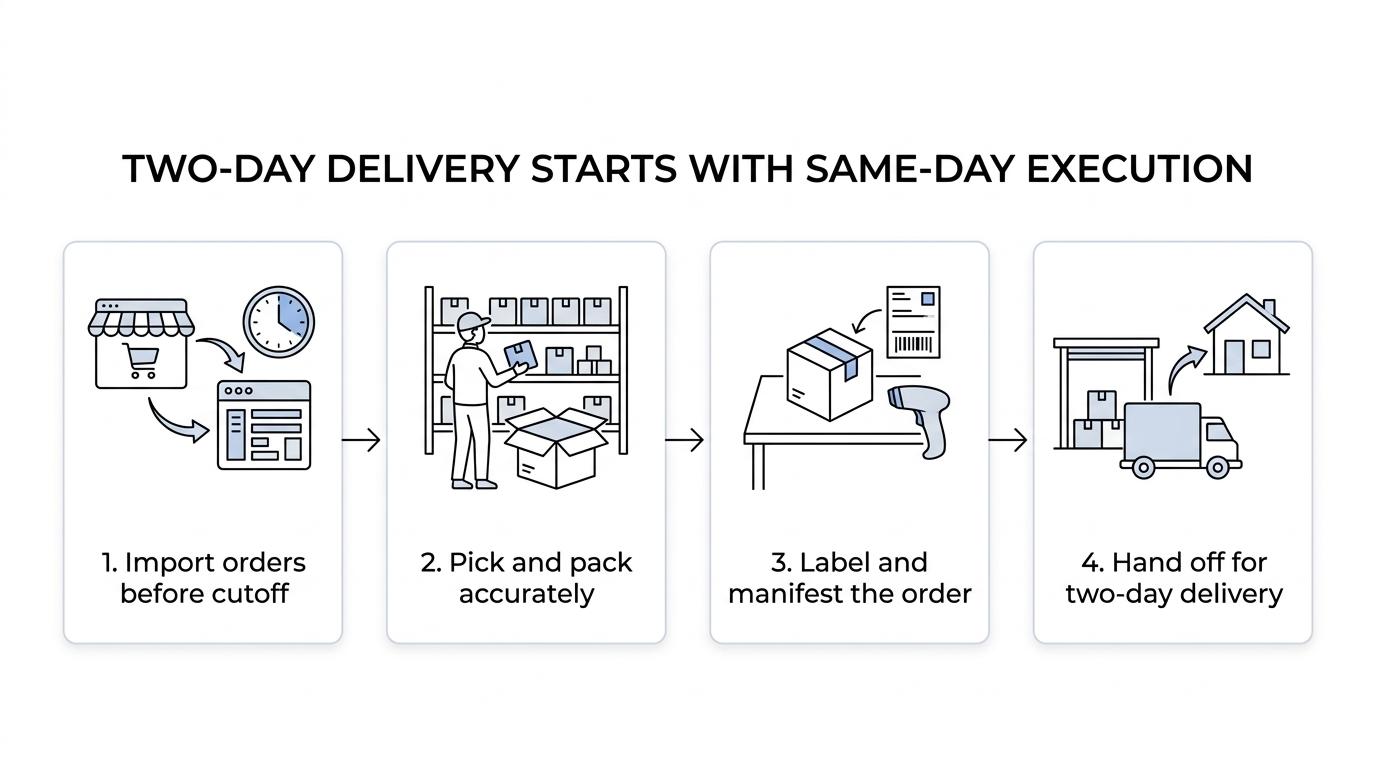
Systems work best when everyone understands what information moves, where it goes, and who acts on it. Before launch, map the path of an order from its source to fulfillment, then define how status updates and inventory changes become visible to your team. This turns a vague expectation of “connected systems” into a workflow people can review and follow.
Choose a clear order and inventory information flow
Document each handoff: where orders originate, which system receives them, how they reach the fulfillment workflow, and where your team sees order status. Map inventory updates in the same way, including who monitors changes and who responds when availability affects an order. Silicon Valley Direct’s Web Services support programmatic order submission and information retrieval using XML and SOAP. Document the data fields and handoffs your workflow requires.
Information can move in different ways. The right approach depends on the workflow, the systems involved, and how much manual review your team needs:
Manual exchange: Staff share or enter order and inventory information. This can suit a workflow that requires direct review, but teams should define who updates each record and how they check for omissions.
System-based exchange: Connected systems pass agreed information between them. Map which system is responsible for each record and how staff will identify a missing or unexpected update.
Programmatic exchange: Web Services support structured data exchange through XML and SOAP. Document the information to be submitted or retrieved, along with the team responsible for monitoring the process.
None is automatically the best fit. Choose based on the operational workflow, then write down how orders, status changes, and inventory records will be checked and maintained.
Agree on reporting, communication, and exception handling
Decide which reports answer practical questions, such as which orders remain in progress or what inventory is available. Assign an owner to review each report, set an agreed update cadence, and name the contact responsible for unresolved exceptions. This gives the team a clear response path instead of leaving issues in an inbox or report without follow-up.
Remote Control provides 24/7 access to place orders and review order information, track order progress, view real-time inventory, receive automated notifications, and generate more than 120 standard reports. Teams can use these tools to review activity and keep operational information accessible.
As part of how to onboard with a 3pl provider, agree what a notification means, who reviews it, and how the team records the next action. Notifications support awareness, while defined ownership turns that awareness into a consistent response. Before launch, walk through a sample order and inventory update with the people who will use the process. Confirm that each handoff, report, and escalation route makes sense to its owner.
How to transfer inventory and validate fulfillment before go-live
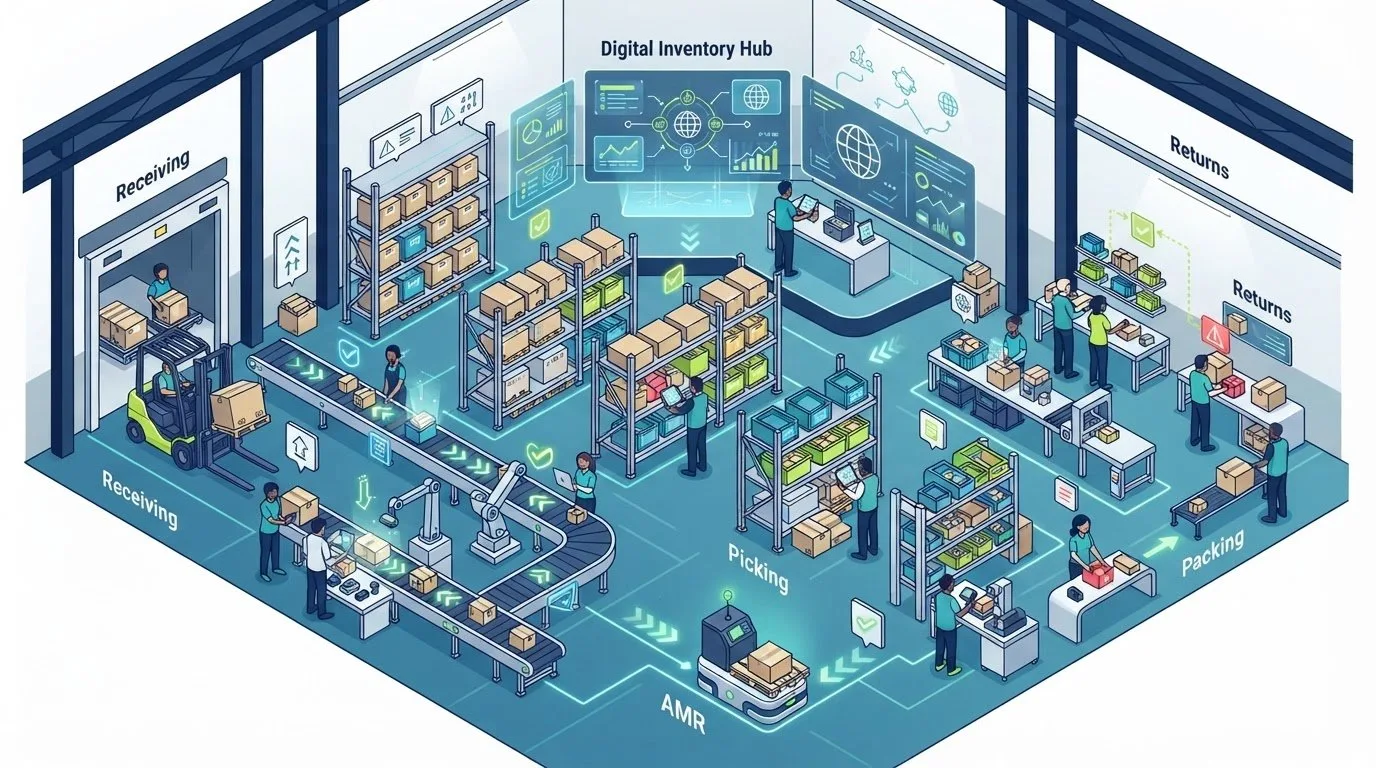
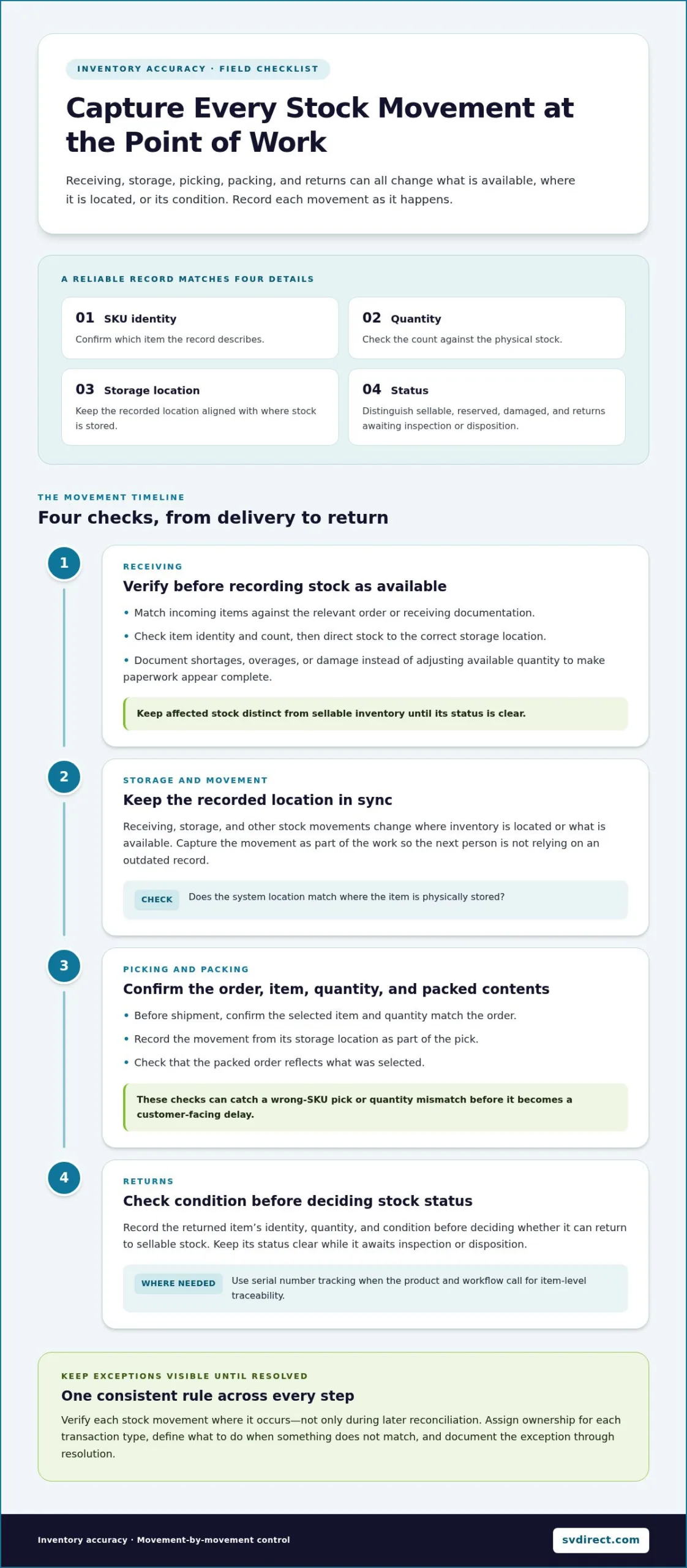
Inventory transfer is a handoff of both physical products and the records that describe them. Plan the arrival, receiving review, discrepancy process, and order validation as connected steps. This gives the client and 3PL a chance to resolve mismatches before the inventory is treated as ready for routine processing.
Receive and reconcile inventory records
Before inventory ships, align the expected product identifiers and quantities with the records used for the transfer. Once received, compare those records with the products and counts recorded during receiving. If a product identifier differs or a quantity does not match, document the discrepancy clearly rather than silently changing a record.
Assign an owner to each open issue and agree how the correction will be reviewed and recorded. The affected product or quantity should not be treated as reconciled until both sides understand the difference and the inventory record reflects the agreed decision. This creates a reliable reference for the next validation steps.
Where serial-number tracking is part of the product workflow, include the requirement in the receiving and fulfillment instructions. Specify which products need tracking and how the relevant serial information should be captured. That way, the tracking step is part of the agreed process, not an assumption introduced after orders begin moving.
Test the order journey before routine processing
Before go-live, walk through a representative order with the relevant client and fulfillment contacts. Review the information submitted, the item selected, any packaging or handling instruction, and the order status as it progresses. If the order includes a special instruction, confirm that it appears where the people handling fulfillment can act on it.
Use the review to check the complete handoff, not just whether an order can be entered. Confirm how a status update becomes visible, what happens when a product record or quantity is still under review, and which contact should be notified if the workflow needs attention. A controlled test helps expose unclear instructions while the teams can still resolve them together.
Use this launch checklist to guide the review:
- Confirm received quantities and product identifiers against the agreed records.
- Record discrepancies, assign an owner, and document the resolution before relying on corrected information.
- Review a representative order from submission through status reporting.
- Check that product, packaging, and handling instructions are available in the workflow.
- Confirm escalation contacts and the communication route for unresolved issues.
Launch readiness comes from reviewed records and a shared understanding of the order journey, not from assuming that arrival means everything is ready. As you plan how to onboard with a 3pl provider, keep communication direct: share the issue, its owner, and the decision needed. This supports a measured transition with clear steps for resolving open questions.
How Silicon Valley Direct supports an organized 3PL onboarding
A well-planned transition needs clear processes and practical visibility after launch. Silicon Valley Direct approaches fulfillment as a partnership, shaping workflows around each client’s products and operating needs. The company brings together eCommerce order fulfillment, warehousing, inventory management, and global shipping, with services such as kitting and assembly to support different project requirements.
Keep operational visibility available after launch
Onboarding sets the workflow in motion, but teams still need useful information once routine orders begin. Remote Control supports order placement, order histories, progress tracking, and real-time inventory review. Automated notifications can surface updates such as low inventory, receipts, and backorders, helping teams see when an item may need attention.
Remote Control provides 24/7 access to order and inventory information and can generate more than 120 standard reports. Teams can review order activity and identify the information most relevant to their operation. During onboarding, decide which reports answer specific questions: What orders are progressing? Which inventory needs review? What exceptions require follow-up?
Visibility is most useful when it connects to clear ownership. Agree who reviews notifications, who acts on an inventory or order issue, and how unresolved questions are communicated. Client testimonials also describe experiences with Silicon Valley Direct’s service and Remote Control visibility.
Start with a project-specific onboarding conversation
Prepare a concise view of the project so the onboarding discussion can focus on the work itself. Include the products involved, where orders originate, inventory needs, and any workflow requirements that affect fulfillment. Note expected order patterns or special handling instructions if they shape how products should be processed. Identify the people who manage operations, eCommerce, customer service, and technology so decisions can move between the right teams.
These details help Silicon Valley Direct shape a fulfillment solution around your project rather than assume every operation works the same way. They also give both teams a practical starting point for discussing information flow, reporting, inventory visibility, and how questions will be handled. As you consider how to onboard with a 3pl provider, treat the conversation as the point where preparation becomes a shared operating plan.
Bring open questions along with confirmed requirements. If an instruction or expectation still needs a decision, identify it clearly so it can be addressed during planning. A thoughtful discussion connects the details your team has prepared with a workflow designed for your fulfillment needs.
Turn your onboarding plan into a confident next step
The strongest transition is one your team can keep improving after launch. Treat onboarding decisions as the start of a working relationship: keep instructions current, share questions early, and make sure the people closest to each workflow have a clear way to raise issues. That ongoing attention helps your fulfillment operation adapt as products, order patterns, and business needs change.
As you put how to onboard with a 3pl provider into practice, focus on building a shared operating plan that fits your business rather than trying to solve every future scenario in advance. Discuss your fulfillment needs with a partner who can shape workflows around your requirements and keep communication direct.
With thoughtful preparation and open collaboration, you can move forward with greater clarity and build a fulfillment process ready to support what comes next.
Frequently Asked Questions
How long does it take to onboard with a 3PL provider?
There isn’t one standard timeline for onboarding with a 3PL provider. The duration depends on factors such as the number of products, the condition of your product and inventory data, the workflows to document, and the information exchange involved. Decisions that need several internal approvals can also affect progress. Map dependencies with your 3PL and agree on milestones, owners, and decisions that could hold up the next step.
What information should I prepare before onboarding with a 3PL?
Prepare product identifiers and descriptions, current inventory records, order details, and instructions that affect packaging or handling. Also gather a list of order sources, relevant contacts, and any special tracking requirements. Name the source of truth for each data set and label files with a clear version or update date. This helps teams distinguish current information from drafts or outdated records.
Can a 3PL integrate with my order management system?
Order information can be exchanged programmatically when the systems and workflows are set up for it. Silicon Valley Direct Web Services use XML and SOAP and include methods for submitting orders and retrieving order information. During onboarding, map the relevant fields and information flow, and define how to handle incomplete data or an unsuccessful exchange.
How do I avoid order disruptions during a 3PL transition?
Plan how open orders will be handled at the point of transition. Agree which orders stay in the existing workflow, which enter the new one, and how cancellations, edits, and returns are routed during the changeover. Before redirecting routine orders, review a test transaction and confirm that order details reach the right workflow. A named escalation contact also gives staff a clear path when an unexpected issue needs a decision.
How can I track inventory and orders after onboarding?
Use a shared routine for checking order status and inventory, with named team members responsible for reviewing information and acting on exceptions. Remote Control lets clients review order progress, order histories, and inventory information. Automated notifications can bring events such as receipts or backorders to the team’s attention. Define who monitors these updates and how the team records follow-up so important alerts lead to action.
What should happen before a 3PL fulfillment launch?
Before routine orders begin, confirm that received inventory has been recorded, unresolved discrepancies have an owner, and staff know how to handle exceptions. Review a test order that reflects a real workflow, including any special packaging or handling instructions. Make sure relevant contacts know where to see order status and whom to alert if something is unclear. Agree on the conditions that must be met before the team treats the workflow as ready.
How much does it cost to onboard with a 3PL provider?
Onboarding costs vary with the scope of the fulfillment setup, so there isn’t one universal fee to use as a reliable estimate. The work involved may depend on product and order complexity, inventory needs, required services, and the systems or data exchange involved. For a project-specific estimate, prepare details about your products, order profile, packaging needs, and workflow requirements so the proposed scope reflects the actual operation.