Ecommerce Order Processing Workflow: From Checkout to Delivery
What if the biggest order-processing delays happen between steps, not within them? When orders arrive from multiple sales channels, unclear handoffs can leave teams chasing inventory updates, correcting errors, or wondering whether a shipment has left the warehouse. A well-designed ecommerce order processing workflow makes each stage and its owner visible, from checkout through delivery.
Speed matters, but reliable fulfillment also depends on accurate order data and clear communication between the people handling each handoff. This guide maps the process from order receipt and inventory checks to picking, packing, dispatch, and delivery updates. You’ll learn where bottlenecks and avoidable mistakes tend to surface, how to spot them in order records, and how better visibility helps teams act before small issues become customer-facing delays.
When order volume or channel complexity stretches an in-house process, fulfillment support can take on the physical work after digital order receipt. Silicon Valley Direct’s 3PL service acts as an extension of your operations, handling storage, picking, packing, and shipping. Remote Control provides access to orders, progress, order histories, and inventory, giving your team a clearer view of how each order moves.
Key Takeaways
- Map each stage of your ecommerce order processing workflow so every handoff has a clear input, action, and owner.
- Give exceptions such as inventory mismatches and incomplete addresses a named owner, a clear status, and a documented next step.
- Audit repeat work and delay points, then track order errors, processing time, backlog, and status visibility to guide improvements.
- As fulfillment needs grow, a 3PL can support the physical work of storing, picking, packing, and shipping orders as an extension of your operations.
What Is an Ecommerce Order Processing Workflow, and Why Does It Matter?
A customer clicks “place order,” but the work behind that confirmation has only begun. Purchase details must reach the right systems and people, inventory must be checked, the item must be prepared for shipment, and the customer needs useful status information along the way. As order volume grows or new sales channels are added, every handoff creates another opportunity for delay or error.
An ecommerce order processing workflow is the connected sequence of steps that begins when a customer submits an order at checkout and ends when the customer receives the product and its delivery status has been communicated.
This process is broader than order entry, which captures details such as the customer, products, quantities, and shipping information. It also extends beyond shipping, which is only one part of moving an order from purchase to delivery. For a broader introduction to understanding order processing, the key idea is that information and decisions move through a sequence. In ecommerce, that sequence connects digital records with physical operations.
How Is Order Processing Different From Order Fulfillment?
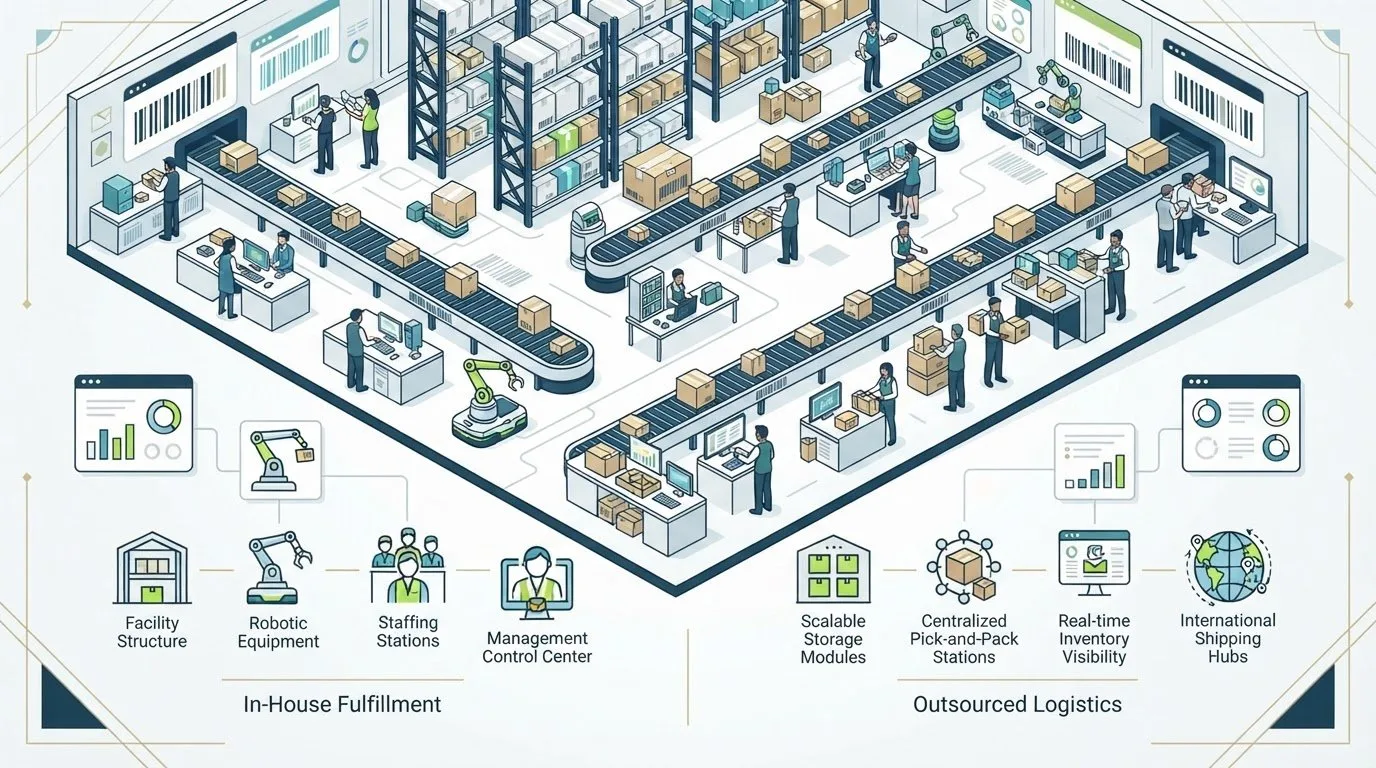
Order processing covers the information and operational decisions associated with a purchase. It includes receiving the order, checking its details, deciding how to handle it, coordinating fulfillment, and communicating progress. Order fulfillment is the physical work within that flow: storing products, picking the requested items, packing them, and shipping them to the customer. The activities are closely connected, but they aren’t interchangeable.
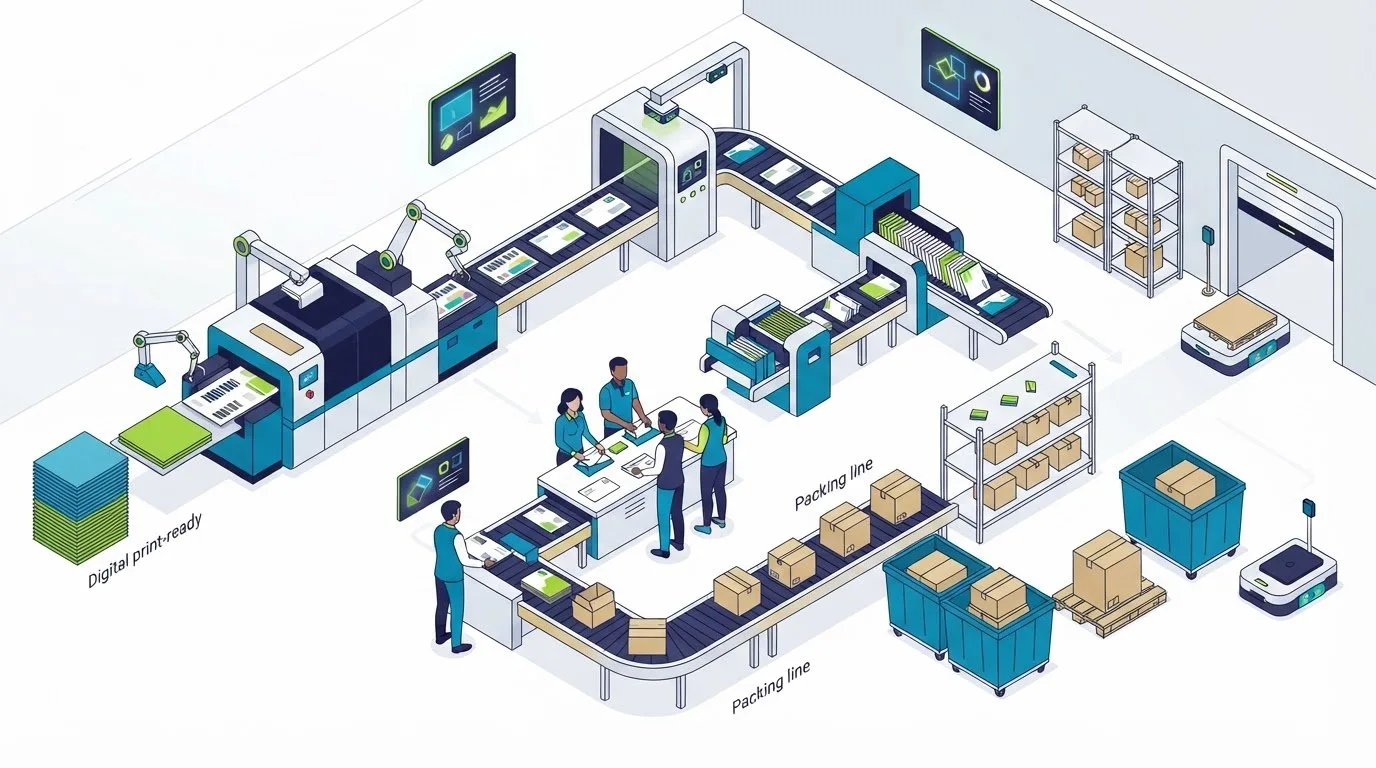
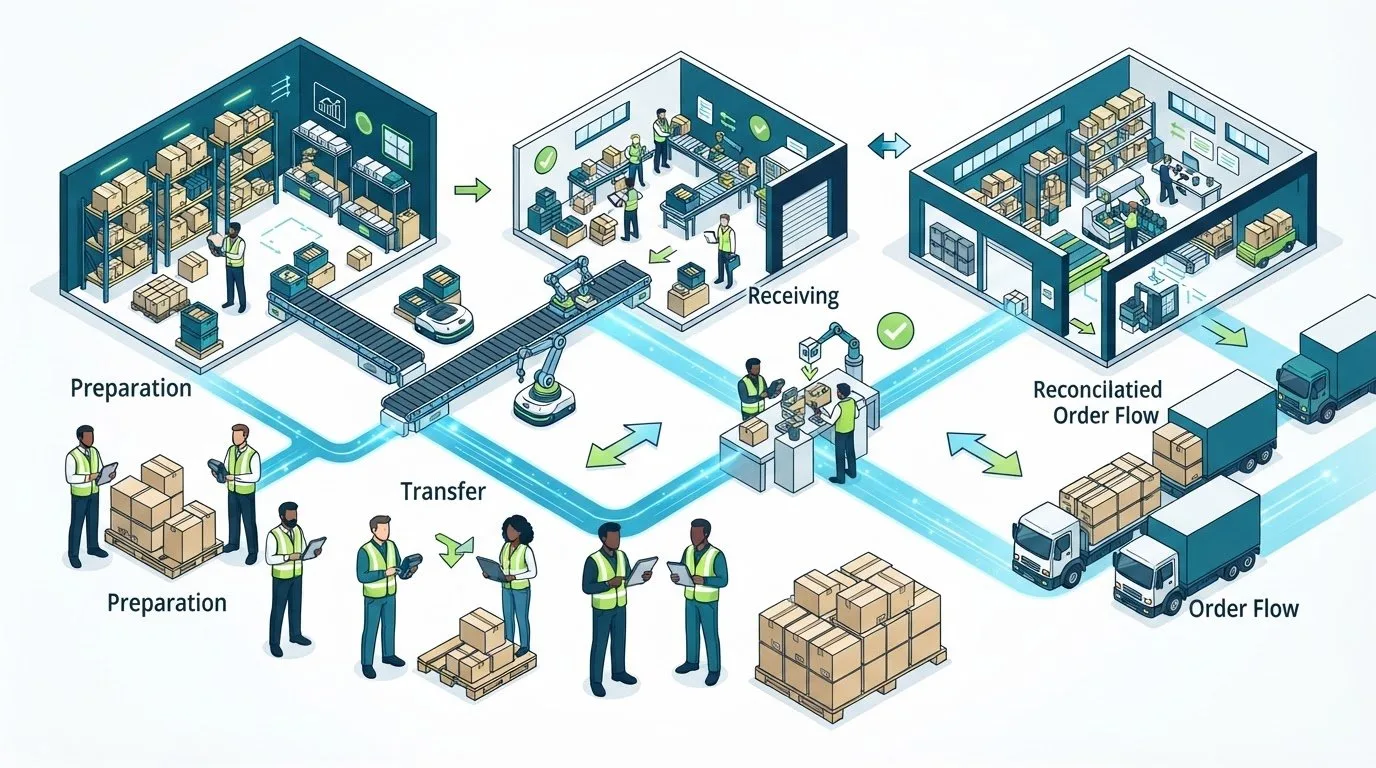
The overlap begins when order information becomes a task on the warehouse floor. A confirmed order must tell the fulfillment team which product and quantity to pick, while inventory records need to reflect what has been allocated. A clear handoff establishes when responsibility moves from the team managing order information to the people preparing the shipment. ecommerce fulfillment services can handle these physical stages as part of a broader operating process.
Who and What Are Involved in an Ecommerce Order?
A typical order brings together several people and systems:
- Customer: Submits the purchase and provides shipping details.
- Ecommerce storefront: Captures the order, product, quantity, and address information.
- Inventory records: Show product availability and help determine whether items can be allocated.
- Operations team: Reviews exceptions and coordinates the work needed to prepare the order.
- Carrier: Takes possession of the shipment and supports its movement toward delivery.
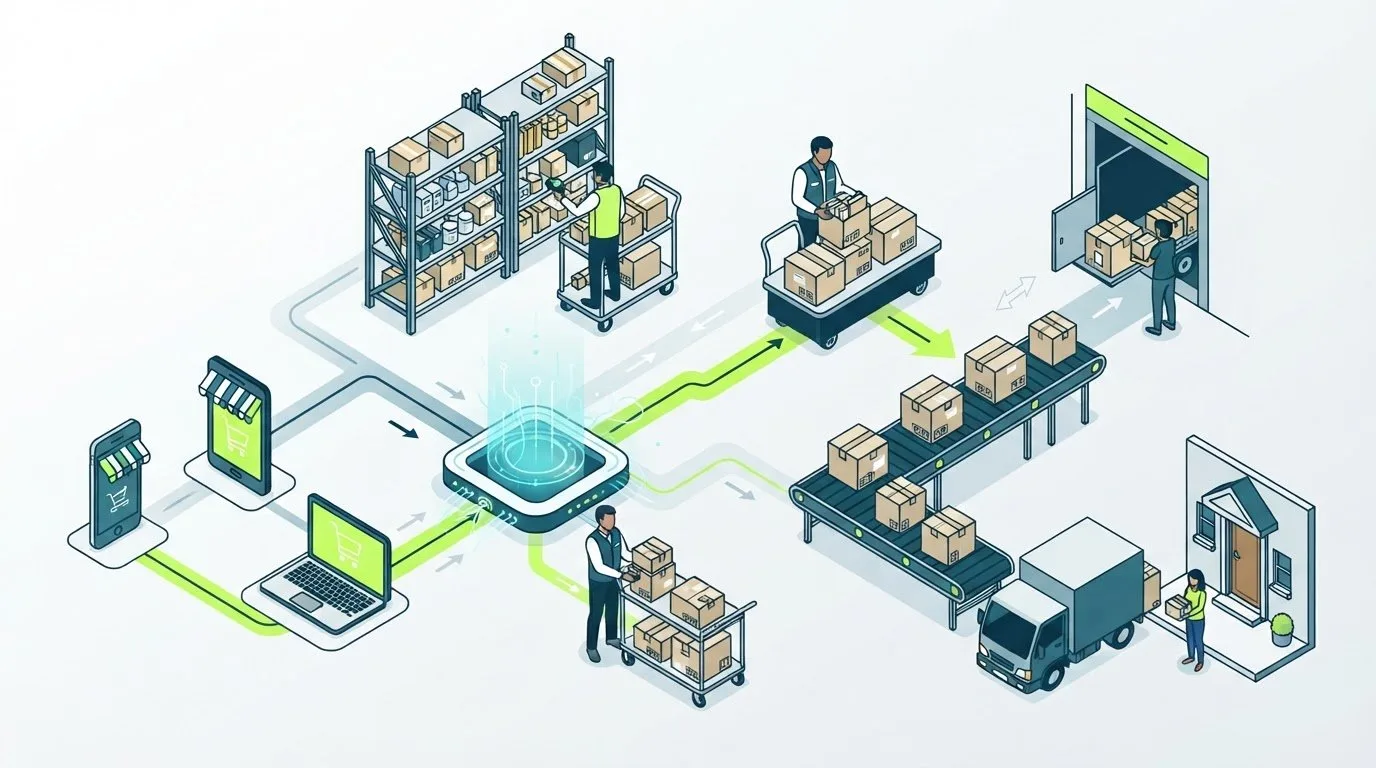
As the order moves, product and quantity details guide picking, shipping information directs packing and dispatch, and status updates help teams and customers understand what has happened. Channels and systems vary: an order may arrive from a storefront or another sales channel, while separate tools manage inventory or warehouse tasks. The core sequence remains recognizable: capture the order, validate it, allocate inventory, fulfill it, dispatch it, and communicate its progress. Agreeing on these stages gives everyone a clearer view of what happens next.
The Ecommerce Order Processing Workflow, Step by Step
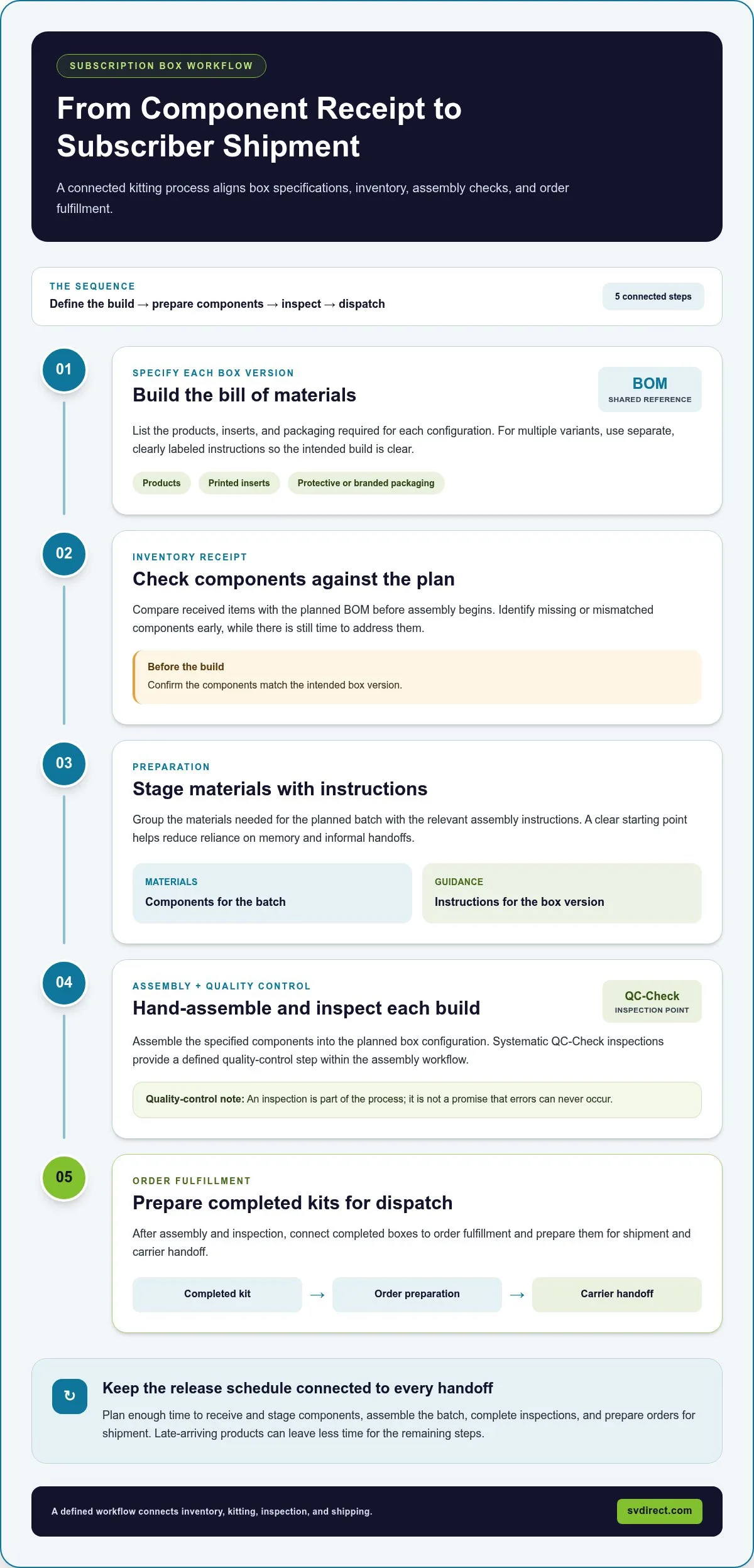
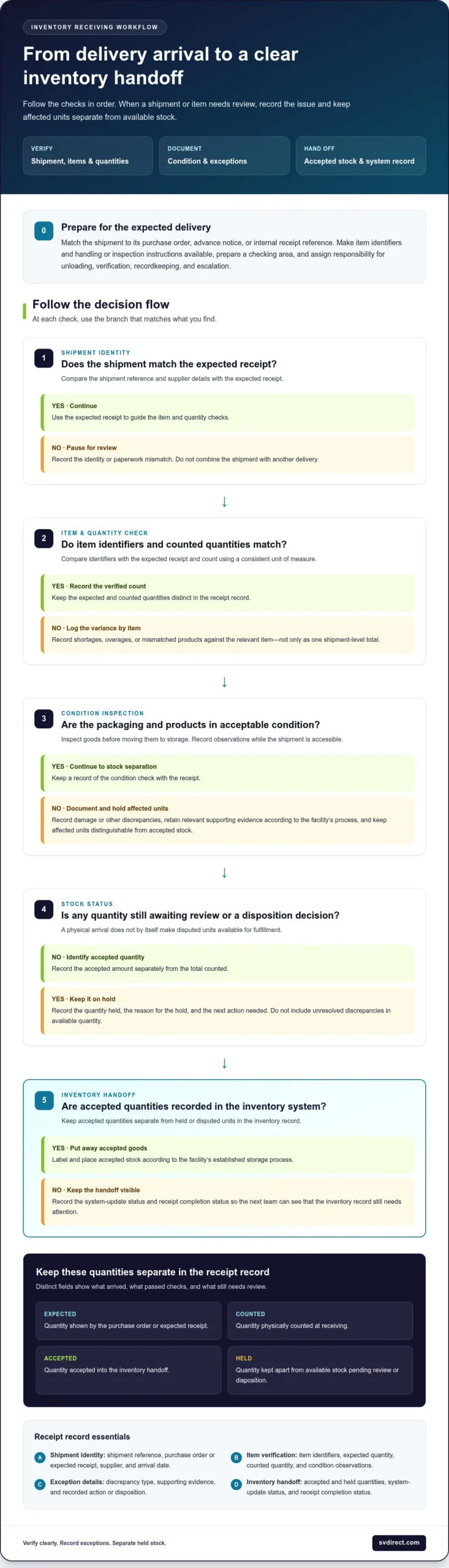
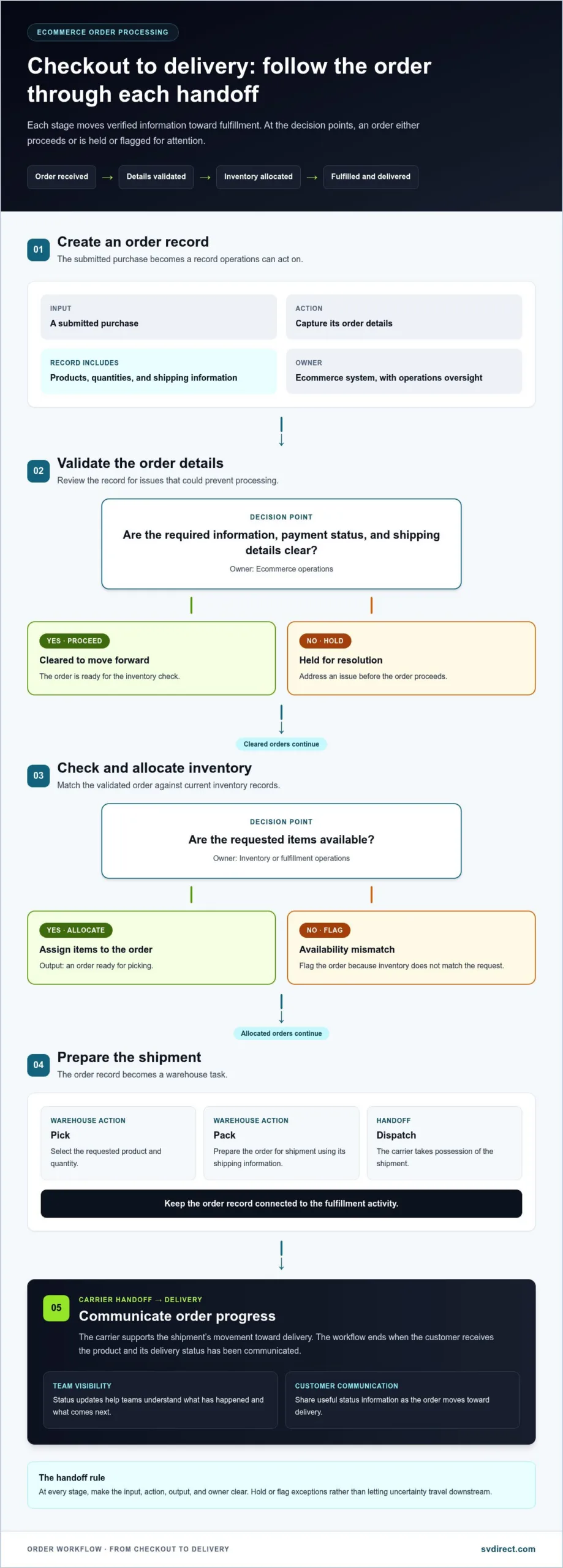
A clear ecommerce order processing workflow connects the customer’s purchase to the work that prepares and sends it. The exact sequence can vary by business, but each stage should have a defined input, action, output, and owner. That structure helps teams identify whether an order is ready to move forward or needs attention.
From order receipt to delivery updates, the workflow passes verified information through accountable handoffs so each order can move from checkout toward the customer.
From Checkout to a Fulfillment-Ready Order
The first handoff turns a purchase from a storefront or sales channel into an order record the operations team can act on. Connected storefront and fulfillment data can reduce repeated entry: product, quantity, and shipping details travel with the order instead of being retyped at every step. Operations platforms like Ommni help centralize product information across sales channels, keeping the record consistent as it moves from digital checkout to physical work.
- Receive the order. Input: A submitted purchase. Action: The storefront or order-management process captures its details. Output: A record containing products, quantities, and shipping information. Owner: The ecommerce system, with operations oversight.
- Validate the details. Input: The new order record. Action: The responsible team or system reviews required information, payment status, and shipping details for issues that could prevent processing. Output: An order cleared to proceed or held for resolution. Owner: Ecommerce operations.
- Allocate inventory. Input: A validated order and current inventory records. Action: Confirm that the requested items are available and assign them to the order. Output: An order ready for picking, or one flagged if availability does not match. Owner: Inventory or fulfillment operations.
From Picking and Packing to Carrier Handoff
Once released, the order becomes a warehouse task. Keeping the order record connected to fulfillment activity gives the team a shared reference for the requested items and the shipment being prepared. At dispatch, the carrier handoff should trigger a clear status change so the order record doesn’t remain stuck at “packed.”
- Pick and check the items. Input: The released order and its allocated inventory. Action: Warehouse staff retrieve the requested products and compare them with the order details. Output: The correct items assembled for packing, or a discrepancy raised before dispatch. Owner: Warehouse operations.
- Pack and prepare for dispatch. Input: Checked items and shipping information. Action: Staff pack the order, prepare its shipping label, and match shipment details to the order record. Output: A shipment ready for carrier handoff. Owner: Fulfillment or shipping staff.
- Hand off and update the order. Input: The prepared shipment. Action: The shipping team transfers it to the carrier and records available shipment details and status. Output: An order record that reflects dispatch and supports customer updates. Owner: Shipping operations, with customer-service or system support for communication.
When order and fulfillment information stay connected, teams spend less time reconciling separate records and can identify the last completed handoff. If you’re strengthening the physical stages of your process, explore ecommerce fulfillment support as an extension of your operations.
Where Ecommerce Orders Get Stuck: Exceptions, Ownership, and Visibility
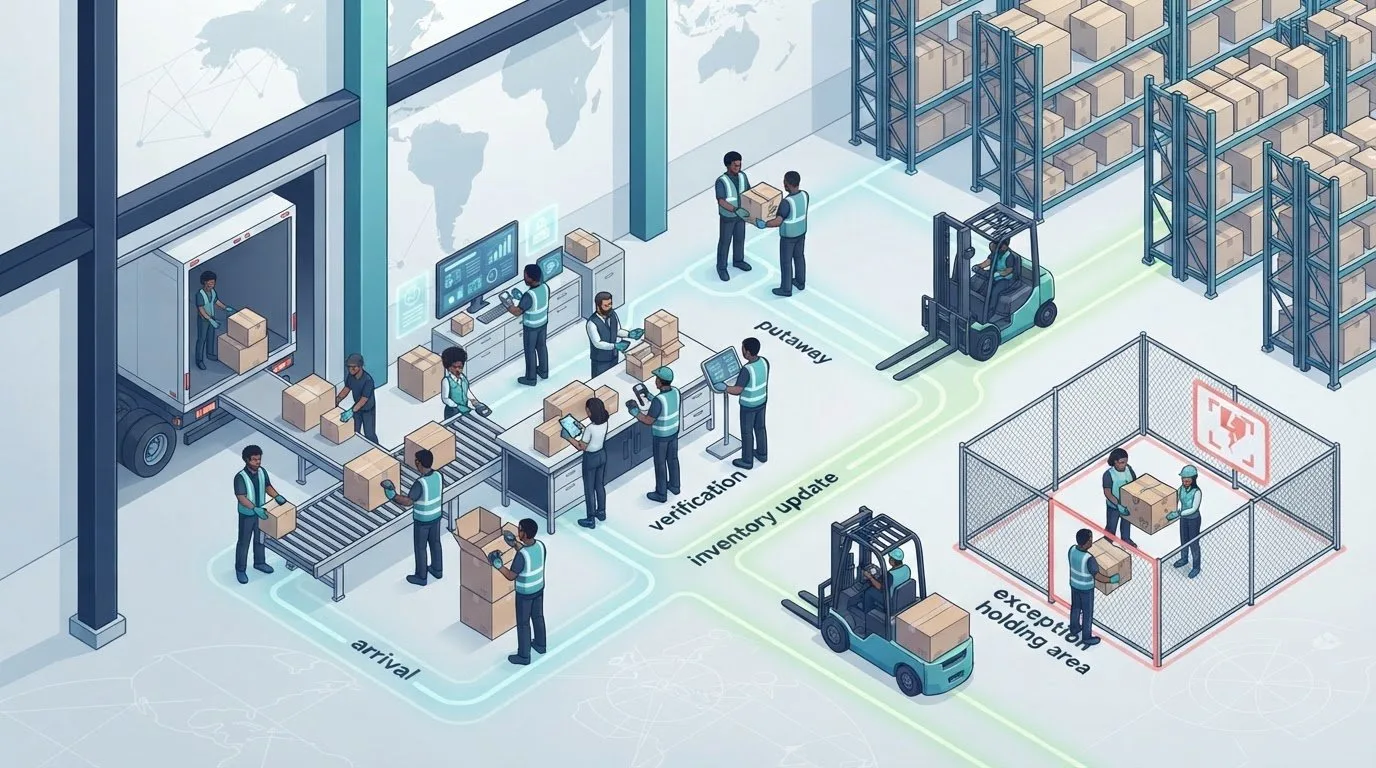
Most orders can follow a routine path. Delays arise when information doesn’t match, a decision is needed, or a handoff has no clear owner. In an ecommerce order processing workflow, an exception should never sit in a vague “pending” state without a next step. Give each exception a named owner, a status label that explains the issue, and a documented action for moving it forward.
Routine checks can follow established rules, such as flagging a missing shipping field or comparing requested quantities with inventory records. Human review is still needed when records conflict, an order can’t proceed as expected, or a decision affects what the customer should be told. Automation can surface a problem, but clear ownership ensures someone resolves it.
How Should Teams Handle Inventory and Order-Detail Problems?
Use a distinct hold-and-review path for each exception instead of treating every delay alike. For an inventory discrepancy, pause the order, assign someone to compare stock records with physical availability, and record whether it can proceed or needs another resolution. For a backorder, label the order accordingly, identify who owns the next update, and keep its status separate from orders ready to ship.
An incomplete address should go to the person or team responsible for correcting order details, rather than remaining in a general queue. Record what information is missing and whether the next action belongs to the operations team or the customer. Once the issue is resolved, update the order status so fulfillment staff can see that the hold has been cleared. Customers should receive timely, accurate updates when an exception changes the expected progress of their order. Don’t mark an order as dispatched while its shipment status is still unknown.
Why Do Clear Handoffs and Order Visibility Matter?
Every move between systems or teams needs a next owner. A handoff is incomplete if the sending team changes a status but no one is responsible for follow-up. Define who receives the order, what information they need, and what status confirms that they’ve taken responsibility. This helps prevent duplicate work, missed tasks, and customer questions that no one can answer.
Shared order and inventory information makes it easier to see where work has paused. For example, a team can distinguish an order waiting for an address correction from one that has been packed but has no recorded carrier update. Access to current order progress, history, and inventory supports this visibility. Remote Order Management provides access to those details.
Set performance expectations from your own baseline rather than adopting an arbitrary service target. Track how long orders spend in each status, how often exceptions recur, and whether the backlog is growing or clearing. Reviewing these trends helps show whether a delay is isolated or points to a handoff that needs attention. The goal is not simply to move orders faster. It is to make the next action clear whenever an order can’t follow its routine path.
How to Improve an Ecommerce Order Processing Workflow
Improvement starts with evidence, not a software purchase. Map how an order currently moves through your ecommerce order processing workflow, including the systems, people, and handoffs involved. Then look for repeated work, waits for information, or recurring corrections. A simple audit can show whether the friction comes from disconnected records, unclear ownership, or a physical fulfillment stage that no longer fits your needs.
- Map the stages. Record each step from order receipt to dispatch and customer updates. Note what information enters and leaves each stage, which system holds it, and who owns the next action.
- Find repeat work. Look for details being retyped, reconciled, or checked more than once. Confirm whether a system connection could carry reliable information forward, or whether the process needs to change first.
- Locate delays and recurring exceptions. Compare order timestamps and status histories. Identify where orders wait, what causes the hold, and whether someone is clearly assigned to resolve it.
- Prioritize a focused change. Choose an improvement tied to a visible problem, such as removing duplicate entry or clarifying a handoff. Avoid changing several stages at once if you need to understand which adjustment made a difference.
- Review the results. Compare performance with your own baseline over consistent periods. Keep, adjust, or reverse the change based on what the order records show.
Which Workflow Indicators Help Reveal Bottlenecks?
Choose measures your team can define and apply consistently. Processing time is the elapsed time between two stated milestones, such as order receipt and release for fulfillment. Keep the start and end points consistent so comparisons remain useful. Track order errors, unresolved-order volume, backlog, and whether teams can identify an order’s current status and next owner.
Review trends across comparable periods instead of relying on an unsupported industry benchmark. A rise in unresolved orders may point to a recurring exception, while longer processing time at one stage can signal a queue or unclear handoff. Measures are most useful when they lead to a question the team can investigate, not when they become targets without context.
When Should a Business Automate or Outsource a Workflow Stage?
Consider order volume, manual workload, exception frequency, and the visibility your team needs. Integration can connect systems and reduce repeated data entry, but automating a step before clarifying its owner or exception path can make problems harder to trace. A 3PL can take on physical fulfillment operations, including storage, picking, packing, and shipping, while your team focuses on other parts of the order journey. Silicon Valley Direct provides these fulfillment services as part of a wider operating process.
Neither option suits every workflow. A stable, repetitive task may suit automation, while a growing physical workload may call for fulfillment support. Start with the bottleneck you can demonstrate, then choose the change that addresses its cause.
How Silicon Valley Direct Supports the Ecommerce Order Processing Workflow
A 3PL can take on the physical fulfillment work that begins after order data reaches the fulfillment operation. Silicon Valley Direct works as an extension of your operations, connecting incoming order information with storage, picking, packing, and shipping. Clear handoffs help your team understand where digital order management ends and warehouse action begins, while keeping fulfillment connected to the wider customer journey.
How Does a 3PL Fit Into the Order Processing Sequence?
Once order details are available to the fulfillment operation, they guide warehouse work: identifying products to pick, quantities to prepare, and shipping information for dispatch. After packing, shipment details and status can flow back into the order record, giving your team a clearer view of what has happened. Silicon Valley Direct provides ecommerce and 3PL fulfillment services that bring these physical stages into the order-processing sequence.
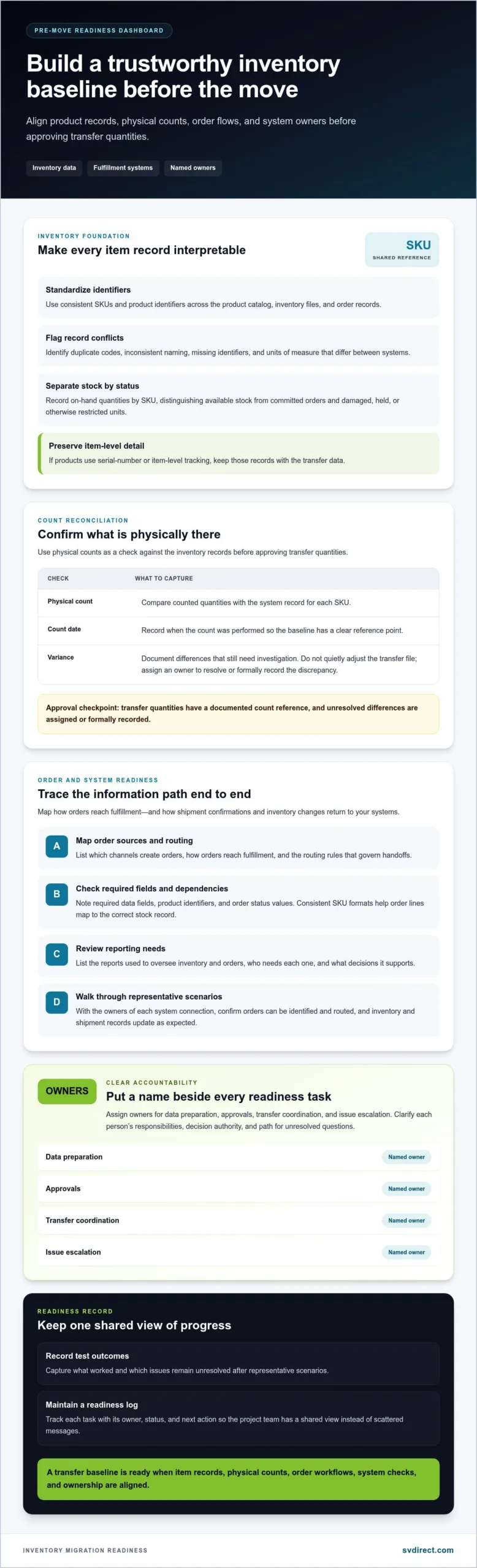
Silicon Valley Direct offers more than 80 ecommerce integrations, including Shopify, WooCommerce, Amazon, eBay, and Walmart. Integrations help order information move between sales channels and fulfillment operations, reducing the need to re-enter details at every handoff. Define what information moves between systems and who acts on it, especially when an order needs review.
Carrier management is another part of the workflow. Silicon Valley Direct works with contracted UPS, FedEx, and USPS rates and manages domestic and international shipping. Coordinating fulfillment and carrier handoffs gives teams a defined path from warehouse preparation to dispatch, rather than treating shipping as a disconnected task.
What Visibility Can Teams Use to Manage Orders?
Remote Control provides 24/7 access to orders, progress, order histories, and inventory. Teams can use this shared operational information to review an order’s status, see its history, and understand inventory as they plan fulfillment work or respond to customer questions. Visibility supports informed follow-up, especially when a team needs to distinguish an order in progress from one that needs attention.
Customer testimonials describe long-term partnerships and real-time visibility. These experiences illustrate how ongoing communication and access to operational information can support day-to-day collaboration.
Explore a Fulfillment Workflow Built Around Your Operations
Every operation has its own channels, order patterns, and handoffs. A useful workflow discussion starts with how your orders reach fulfillment, what physical work needs support, and what information your team needs to see as orders move forward. Silicon Valley Direct works alongside your team to shape a process around your operations, rather than assuming every business needs the same workflow.
If your fulfillment needs are changing, consider how storage, order flow, and shipping can fit into your existing operations.
Make Your Next Workflow Improvement Count
A dependable ecommerce order processing workflow grows through clear decisions, not constant firefighting. Choose one handoff to strengthen first. Define what information must arrive, who owns the next action, and how the team will recognize that the order has moved forward. This gives you a practical starting point for improving the process without losing sight of the customer experience.
As your operation changes, revisit the workflow. New sales channels, shifting order patterns, and increased fulfillment demands can expose gaps that weren’t there before. Silicon Valley Direct can work as an extension of your operations, connecting your order flow with storage, picking, packing, and shipping. Founded in 1999, the company understands the importance of reliable, carefully coordinated fulfillment.
Connect your current process with the support your business needs now, while keeping room to adapt as it grows. You don’t have to solve every operational challenge at once. Start by identifying where orders slow down and what a better handoff could look like.
With the right people and process in place, your next stage of growth can feel more manageable.
Frequently Asked Questions
What are the main steps in an ecommerce order processing workflow?
An order generally moves from capture and review to inventory assignment, warehouse preparation, carrier handoff, and customer-facing updates. The exact arrangement depends on how a business divides its work. Treat returns and customer-requested changes as separate branches with their own status and owner, rather than forcing them into the forward path. This makes it easier to see which orders are progressing normally and which need a different next action.
Can ecommerce order processing be automated?
Yes. Businesses can automate predictable tasks, such as transferring an order record between connected systems or applying a routine status update. Start with a step that has stable inputs and a clear expected result. Keep a review path for unusual orders, such as a payment or inventory record that needs investigation. The ecommerce order processing workflow should make clear when a system can proceed and when a person must decide.
What happens if an item is out of stock after an order is placed?
Flag and review the affected order before it advances as though the item were available. The assigned owner can compare the inventory record with the actual stock position, then document the next step under the business’s process. If the order’s status changes, customer communication should reflect the confirmed situation. Keeping the order visible in a distinct state helps prevent it from being mistaken for work ready for shipment.
How can a business reduce ecommerce order processing errors?
Start by examining a recent error and tracing it through the records and handoffs that led to it. If the wrong quantity was picked, for example, check whether the order details were accurate, inventory was recorded correctly, and warehouse instructions matched the order. Use the findings to strengthen the relevant check or clarify responsibility. Reviewing recurring error types helps focus improvements on causes instead of adding extra checks everywhere.
When should an ecommerce business use a 3PL for order processing?
A 3PL may suit a business that needs support managing physical fulfillment as its workload or operating needs change. Before shifting a stage, define what order information will be shared, which team handles exceptions, and how both sides will understand an order’s current state. Silicon Valley Direct provides eCommerce order fulfillment, so a workflow discussion can focus on how fulfillment responsibilities fit with your existing operations.
How can teams track ecommerce order processing performance?
Teams can track performance by defining meaningful milestones and applying the same definitions to each review period. For a clearer diagnosis, compare results by channel, product type, or exception category where records support that view. If overall processing time changes, this added context may show whether the shift is concentrated in one part of the operation or appears across the workflow. Use the finding to choose a specific process change to evaluate.