


The Inventory Kitting Process: A Practical Step-by-Step Guide
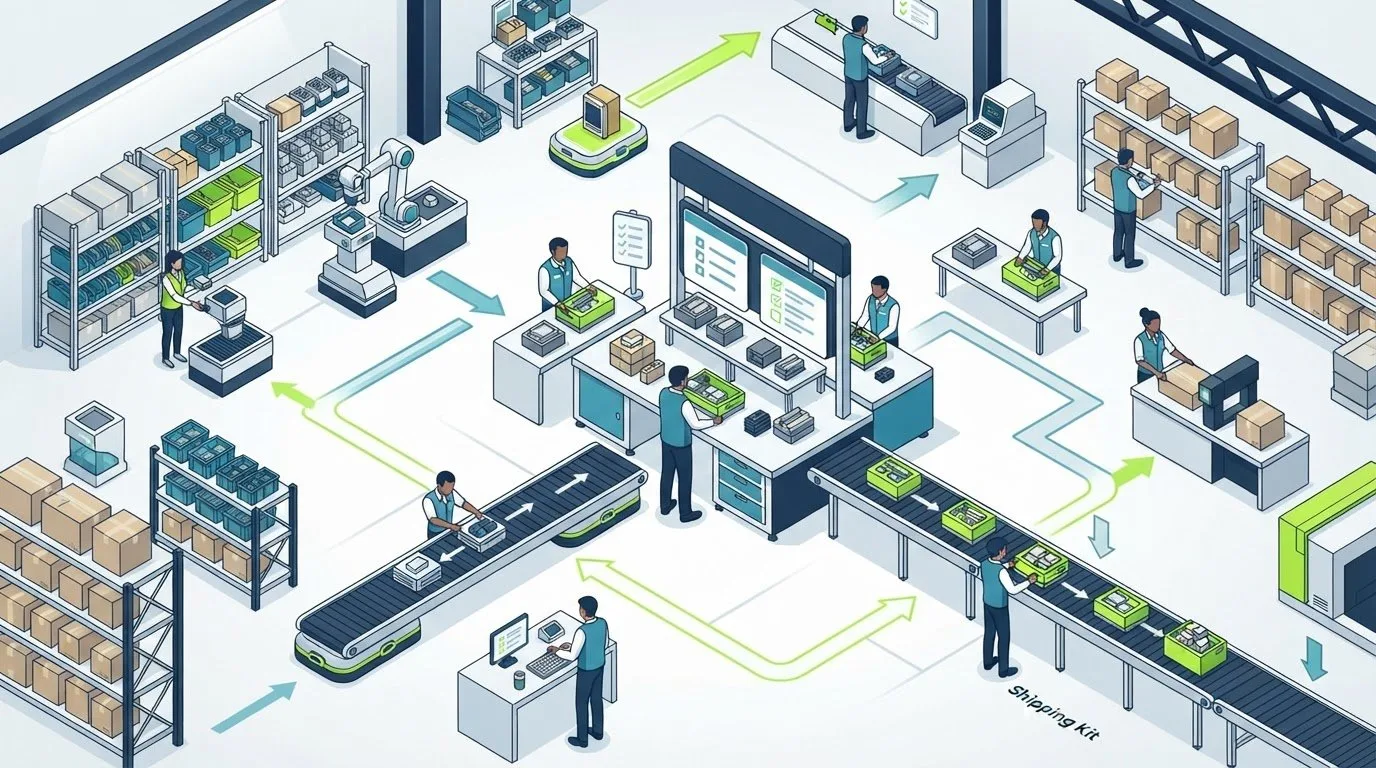
A kit is only as dependable as the process behind it. The inventory kitting process can simplify fulfillment, but picking, assembly, and changing component availability also create extra handling and opportunities for error. Treat each kit as a controlled workflow to keep it complete, accurately recorded, and ready to ship.
If you’re balancing kit assembly with everyday order fulfillment, a clear plan matters. This guide explains how to define a kit, check component availability, choose when to assemble, and update inventory so teams can see both finished kits and the items inside them.
You’ll also learn how to build repeatable quality checks, respond when components change, and decide whether preassembly or order-time assembly best fits your operation. Silicon Valley Direct provides kitting and hand assembly supported by systematic QC-Check inspections. Use the steps below to coordinate the work and support accurate fulfillment as your needs evolve.
Key Takeaways
- Build the inventory kitting process around a clear bill of materials, so each kit has defined components, quantities, and approved versions.
- Choose preassembly or order-time assembly based on demand predictability and how often kit contents change.
- Set a consistent response for component shortages, kit revisions, incomplete assemblies, and inspection failures.
- Track practical measures such as assembly accuracy, component availability, rework, and completed-kit status to spot process gaps.
- Systematic inspection during kitting and hand assembly helps teams maintain quality as fulfillment needs evolve.
What Is the Inventory Kitting Process, and When Does It Help?
The inventory kitting process brings separate components together so they’re ready for a specific use, order, or shipment. Instead of picking every item from scratch each time, a team prepares a coordinated set for a known fulfillment need. A kit might contain promotional materials for an event, a software package with its accompanying items, or clothing pieces assembled for an order.
A kit is a set of individually tracked inventory components prepared together to meet a defined use or fulfillment requirement. The components remain identifiable items, even when the team handles them together during preparation, storage, or shipping. How they’re recorded in an inventory system depends on the operation’s setup.
Kitting can simplify repeated picking when orders regularly require the same combination of items. Rather than locating and gathering every component for each order, staff can work from a defined set. But kitting adds an assembly step. Preparing kits in advance takes labor and storage space; assembling at order time adds handling to fulfillment. The value depends on whether the work saved later justifies the preparation.
How Is a Kit Different From a Bundle or Subassembly?
A kit is a set of coordinated items prepared for a particular purpose or fulfillment requirement. A bundle generally describes items offered together, often as a sales combination. Businesses don’t always use these terms in the same way, so focus on the workflow: kitting is about gathering and preparing the required components, while bundling often emphasizes how items are presented or sold together.
A subassembly usually means parts combined as one step in a larger production process. Kitting, by contrast, doesn’t necessarily transform a product or change how any component functions. It organizes items for use or shipment. For example, placing clothing pieces and promotional materials together for an event creates a prepared set, not a new functional product.
When Should a Business Consider Kitting Inventory?
Look for combinations that staff repeatedly pick and pack as separate components. If recurring orders, campaigns, or events consistently need the same items, a defined kit may make the workflow easier to manage. Kitting can also suit onboarding materials, promotional shipments, and recurring product configurations where teams benefit from a clear, consistent set of contents.
Before changing the workflow, consider how stable the kit is and how demand behaves. Frequent content changes can make preassembled kits harder to maintain. Uncertain demand may leave prepared sets waiting in storage, while perishable components can require careful timing and rotation. In these cases, assembling closer to the order may be more appropriate than preparing a large quantity in advance.
Start by reviewing order history and fulfillment routines. Which combinations recur? How often do their contents change? When do orders need them ready? The answers help determine whether to prepare kits ahead of demand, assemble them as orders arrive, or continue picking components individually. Kitting works best when the intended set is clear and the preparation effort fits the way orders actually flow.
How to Run an Inventory Kitting Process Step by Step
A reliable workflow connects the kit specification to what staff pick, what they assemble, and what inventory records show afterward. The inventory kitting process should make each handoff clear, from confirming required components to updating order status. This inventory kitting and inventory management overview also explains how kitting relates to inventory management and bundling.
Define the kit, verify its components, pick and assemble to specification, inspect the result, then record component use and finished-kit status.
Define the Kit and Verify Component Availability
Start with a bill of materials (BOM) listing every component, required quantity, and approved version. Add packaging and presentation instructions, along with any campaign or version identifier that helps staff distinguish one configuration from another. Clear documentation gives the team a single reference before assembly begins.
- Document the kit specification. Keep the BOM and instructions where the people responsible for picking and assembly can access the current approved version.
- Check component availability. Compare the quantities needed for planned assembly with on-hand inventory records. Flag shortages before scheduling the work. Decide how approved substitutions, revised contents, or discontinued components will be handled. Don’t let an unapproved change become an informal workaround.
Pick, Assemble, Inspect, and Update Inventory
Once the specification and availability are clear, tie the physical work to the same instructions. A defined sequence helps staff identify problems before kits move into fulfillment. Keep checks practical for the kit, and document exceptions and their resolution instead of releasing incomplete work.
- Pick against the BOM. Confirm each item and quantity against the specification. Keep similar-looking components distinguishable during staging by using their labels or another clear identifier.
- Assemble to instructions. Follow the documented sequence and packaging or presentation requirements. If a component is missing or differs from the approved version, pause and resolve the discrepancy rather than silently substituting.
- Inspect before release. Use a documented check to verify contents, condition, presentation, and labeling. Record failures for correction and reinspection before marking the kit ready.
- Update records and order status. Record the completed kit and component quantities consumed promptly. Keep inventory records consistent so finished-kit availability and remaining component stock reflect the work performed. Update the order or assembly status to show whether the kit is in progress, complete, or held for resolution.
These steps create a traceable link between the parts used and the kit released. If a component changes, revise the BOM and instructions together so the next picking and assembly cycle follows the approved configuration.
Pre-Kitting or Order-Time Assembly: Which Inventory Approach Fits?
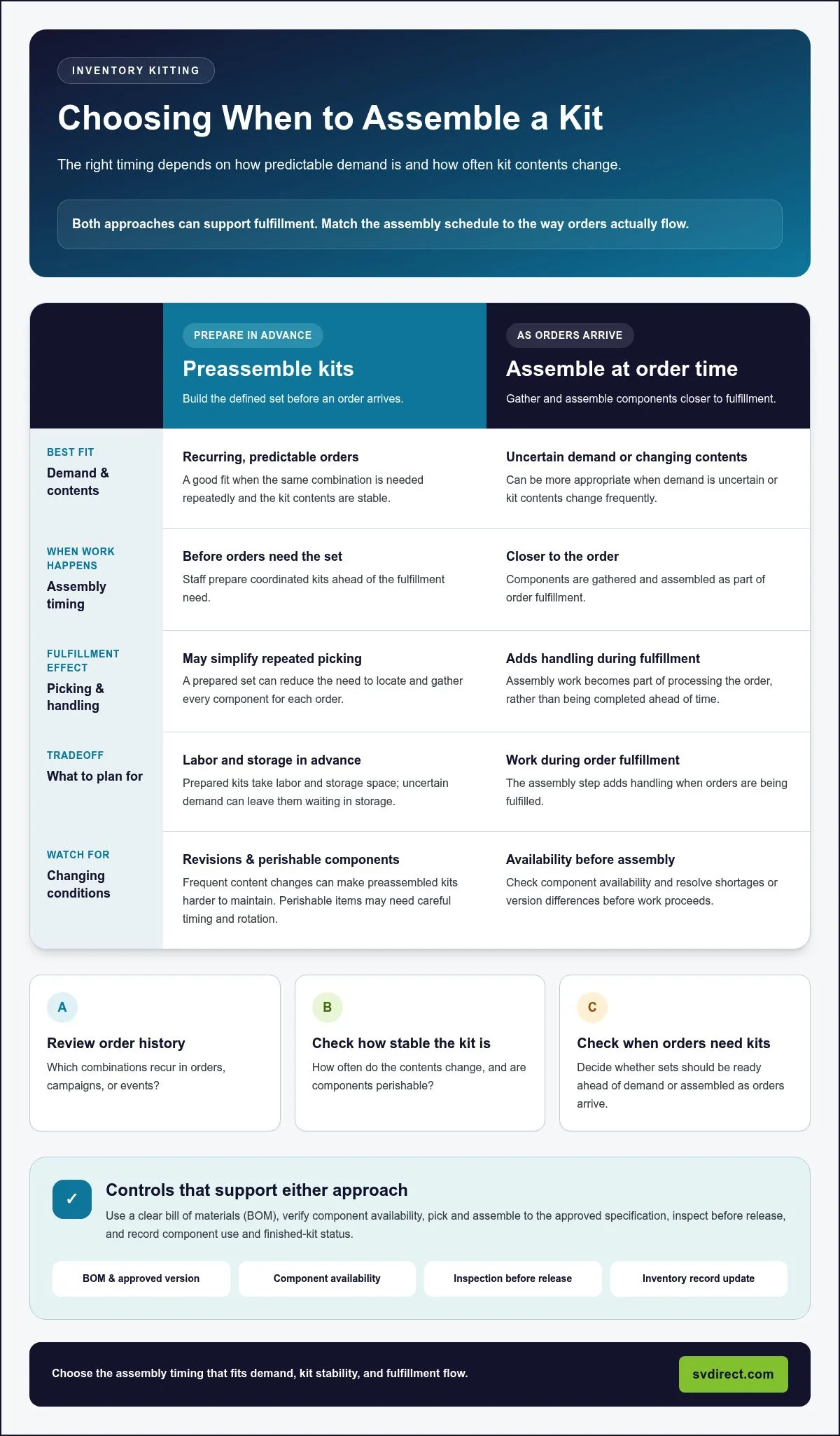
Choosing when to assemble a kit is an inventory decision as much as a labor decision. Pre-kitting makes complete sets available before orders arrive, while order-time assembly keeps components separate until there’s a specific fulfillment need. The right fit depends on demand predictability, how stable kit contents remain, and whether inventory records clearly show finished kits and the components they use.
| Consideration | Preassembled kits | Order-time assembly |
|---|---|---|
| Readiness | Complete kits can be picked when an order arrives. | Components must be picked and assembled for each order. |
| Storage | Finished kits take storage space and require accurate kit counts. | Components remain stored separately until needed. |
| Flexibility | Works best when kit contents stay consistent. | Adapts more readily to changing contents or order requirements. |
When Does Pre-Kitting Make Sense?
Pre-kitting can suit combinations with repeatable demand and stable specifications. Preparing the same approved set ahead of orders may help fulfill them without gathering every component at that moment. The approach depends on reliable records: teams need to account for finished kits as inventory and for the component quantities consumed to create them.
Demand shifts can change the calculation. If orders slow, prepared kits may occupy storage longer than expected. If kit contents or campaign details change, existing sets may need review or rework before they’re suitable for fulfillment. Keep a clear link between each kit version and the specifications it follows.
When Is Order-Time Kitting More Flexible?
Order-time assembly can suit kits with variable contents or less predictable demand. Components remain available as separate inventory until an order calls for a particular configuration. Staff still need current instructions, a stock check, and an inspection process; assembling to order doesn’t remove those controls.
If a required component is short, record the affected order or assembly as incomplete or on hold. Track which items have already been picked, what remains outstanding, and whether any assembled portion needs to be kept together. Don’t mark a partial kit ready for fulfillment.
Shortages affect the two approaches differently. A missing component can prevent a new kit from being assembled to order, while preassembled kits may remain available if their finished inventory is recorded separately. But if a shortage means an existing kit needs replenishment, the component gap can limit how many complete kits can be restored. Clear records help teams distinguish finished stock from loose components instead of treating them as interchangeable.
Decision rule: Pre-kit when demand and contents are repeatable and inventory visibility is dependable; assemble at order time when demand or kit contents change more often. This keeps the inventory kitting process aligned with fulfillment needs while leaving room to reassess as patterns shift.
How to Keep Inventory Kitting Accurate as Kits and Demand Change
A kit specification can become outdated as components, campaigns, and order patterns shift. Regular review keeps assembly instructions aligned with approved contents. Clear exception handling also prevents a shortage or failed inspection from being mistaken for ready-to-ship inventory. Set a review cadence that fits how often your kits change, and update instructions and inventory records together.
Manage Shortages, Revisions, and Incomplete Kits
Make exceptions visible and assign responsibility for resolving them. When a component is short, flag the affected work and keep incomplete kits out of available finished inventory. Record what is missing and which orders or assemblies are affected, so staff can distinguish a temporary hold from a completed kit.
For revisions, define who approves changes to kit contents and how new instructions reach assembly staff. Retire superseded versions from active use, and identify existing kits that may need review if the change affects their contents. Keep failed inspections and rework open in the record until the issue is corrected, the kit is reinspected, and its status is updated.
- Kit revisions: Confirm the approved contents and version, then replace outdated instructions at the work area.
- Shortages: Flag unavailable components and identify affected kits or orders.
- Incomplete assemblies: Record what has been picked or assembled, but don’t mark the kit ready.
- Inspection failures: Document the issue and keep the kit on hold until it passes a follow-up check.
Use Inventory Visibility and Quality Checks Together
Inventory records can show that components were used or a finished kit was added to stock. They don’t, by themselves, confirm that the correct items were assembled, presented as required, and inspected. Pair record updates with a documented human check so inventory status reflects both the transaction and the work performed.
Track a focused set of measures to identify where the workflow needs attention: assembly accuracy, component availability, rework, and completed-kit status. Review exceptions alongside these measures. For example, recurring shortages may point to a need to revisit replenishment planning, while repeated rework can signal unclear instructions or a kit definition that needs revision.
Silicon Valley Direct’s Remote Control provides access to real-time order and inventory information, order-progress tracking, and reporting. Automated email alerts can flag low inventory, receipts, and backorders, helping teams identify exceptions that need attention. Alerts provide visibility, not automatic corrective action. Staff still need to review the information and decide what to do. Learn more about the Remote Control order management system.
For broader workflow design, align kit definitions, approval steps, inspection checks, and inventory updates with the way orders move through fulfillment. A consistent process helps the team respond to change without losing track of what is complete, held, or ready.
How Silicon Valley Direct Supports Inventory Kitting and Fulfillment
A dependable inventory kitting process connects clear project instructions with careful hands-on assembly and inventory visibility. Silicon Valley Direct provides kitting and hand assembly for software packages, clothing, promotional materials, and other client-specific projects. The workflow is tailored to the project, so instructions, handling, and inspection reflect the kit rather than forcing every job into one fixed template.
What Happens During SVD Kitting and Hand Assembly?
The work begins with the project requirements: which components belong together, how they should be assembled, and how the finished kit should be presented. Those instructions guide component gathering and assembly. A software package may call for coordinated materials prepared together; a clothing or promotional project may have different contents and presentation needs. The approved project specifications define the details.
During assembly, Silicon Valley Direct’s systematic QC-Check process supports inspection of the work. This human check helps the team assess the kit against its instructions as it is prepared, rather than relying on inventory records alone to indicate completion. The workflow can be tailored to the project’s requirements, including its component combinations and inspection needs.
Clear instructions also support continuity as project details evolve. If contents or presentation requirements change, the active specifications give assembly staff a consistent reference. This creates a coordinated handoff from project planning to physical preparation and inspection.
How Does Kitting Connect With Inventory and Order Fulfillment?
Physical assembly is one part of fulfillment. Teams also need visibility into inventory and order progress to understand what is available and where work stands. Silicon Valley Direct’s Remote Control provides order and inventory access, order-progress tracking, and reporting. Automated email alerts can flag low inventory, receipts, and backorders, giving teams information to review and act on.
That visibility complements hands-on checks. Inventory data helps show stock and order status; inspection verifies that the assembled kit meets its project requirements. Together, these capabilities connect preparation with fulfillment without treating a system update as a substitute for an assembly check.
Kitting can be part of a broader eCommerce fulfillment service when order handling, inventory management, and kit preparation need to work as a coordinated operation. Silicon Valley Direct can serve as an extension of your team, aligning the fulfillment workflow with project-specific needs and maintaining visibility as orders progress.
Set Your Next Kit Workflow Up to Grow
Give your next kit workflow a clear starting point: choose a project, identify who owns its decisions, and agree on how the team will review the results. Shared ownership helps keep improvements practical as priorities shift.
Use the inventory kitting process as a working framework, not a fixed endpoint. As projects evolve, revisit assumptions and adjust responsibilities so the workflow continues to fit the way your business operates.
When reviewing a kit, check whether the specification is current, component records match the physical stock, and inspection results are captured before release. These checks help reveal where instructions, inventory updates, or handoffs need attention.
Then decide what to adjust: the kit contents, when assembly happens, or how exceptions are handled. A focused change makes it easier to see whether the updated process supports accurate, timely fulfillment.
For help coordinating kitting with inventory management and order fulfillment, request a quote from Silicon Valley Direct.
Frequently Asked Questions
Can inventory kitting work for customized or changing product combinations?
Yes. Customized combinations can work when each configuration has clearly defined contents and current assembly instructions. Record the version or campaign identifier so staff can tell which specification applies, then check component availability before starting. For example, a campaign kit may need revised inserts while its other items stay the same. Order-time assembly may offer more flexibility when combinations change often, but the best approach depends on demand and how frequently specifications shift.
What happens if one component is out of stock during the inventory kitting process?
Keep the affected kit incomplete and unavailable as a finished kit until the missing item arrives or an approved substitution is documented. Update the component record and notify the operations contact responsible for resolving the shortage. This makes the exception visible to people managing assembly and fulfillment. Staff shouldn’t quietly replace the missing item or mark an incomplete kit as ready, even if the remaining contents have passed inspection.
How do you track inventory for a kit made from several products?
Record the kit definition and the quantity of each component needed to make it. Once assembly is complete, update inventory to reflect both the finished kit and the component quantities consumed. For example, if each set uses printed pieces and a packaged item, the records should show the kit count as well as the reduction in those individual stocks. Pair these records with a physical assembly check: inventory visibility alone can’t verify the contents or condition.
Is kitting the same as product assembly?
Not necessarily. Kitting generally means grouping specified items for a defined use or shipment, while product assembly may involve joining parts or creating a finished product. The terms can overlap in real workflows, especially when hand assembly is part of preparing a kit. State plainly in the work instructions whether staff are grouping, packaging, joining, or otherwise preparing components. That clarity helps inventory records and quality checks reflect the work actually performed.
Can inventory kitting be handled by a third-party fulfillment provider?
Yes. A fulfillment provider can include kitting and hand assembly within a broader order workflow. The work benefits from clear component specifications, shared inventory visibility, and an agreed inspection process so everyone understands how kits are prepared and released. Silicon Valley Direct provides kitting and hand assembly, with its QC-Check process supporting inspection during assembly. The workflow can be tailored to the project rather than assumed to follow one configuration for every client.
How often should a business review its kit specifications?
Review a specification whenever a component, packaging instruction, campaign, or product version changes, and include kit definitions in routine inventory process reviews. Outdated instructions can lead staff to prepare the wrong configuration even when every required item is in stock. Set a review cadence that reflects how often your kits change, and make sure revised instructions replace older versions wherever assembly takes place. This keeps teams working from the same approved requirements.